
Yes, printer ink definitely dries up. It's one of the most common frustrations for anyone who owns an inkjet printer, especially if you don't print very often. For example, if you only print a concert ticket every few months, you're more likely to face a clogged printer than someone who prints daily work reports.
Yes, Printer Ink Dries Up—and Here's Why
The reason is simple: inkjet ink is a liquid. It's mostly a water or alcohol-based solvent that carries the color pigments. When that liquid is exposed to air, the solvent evaporates, leaving behind the thick, sticky pigment that clogs up your printer.
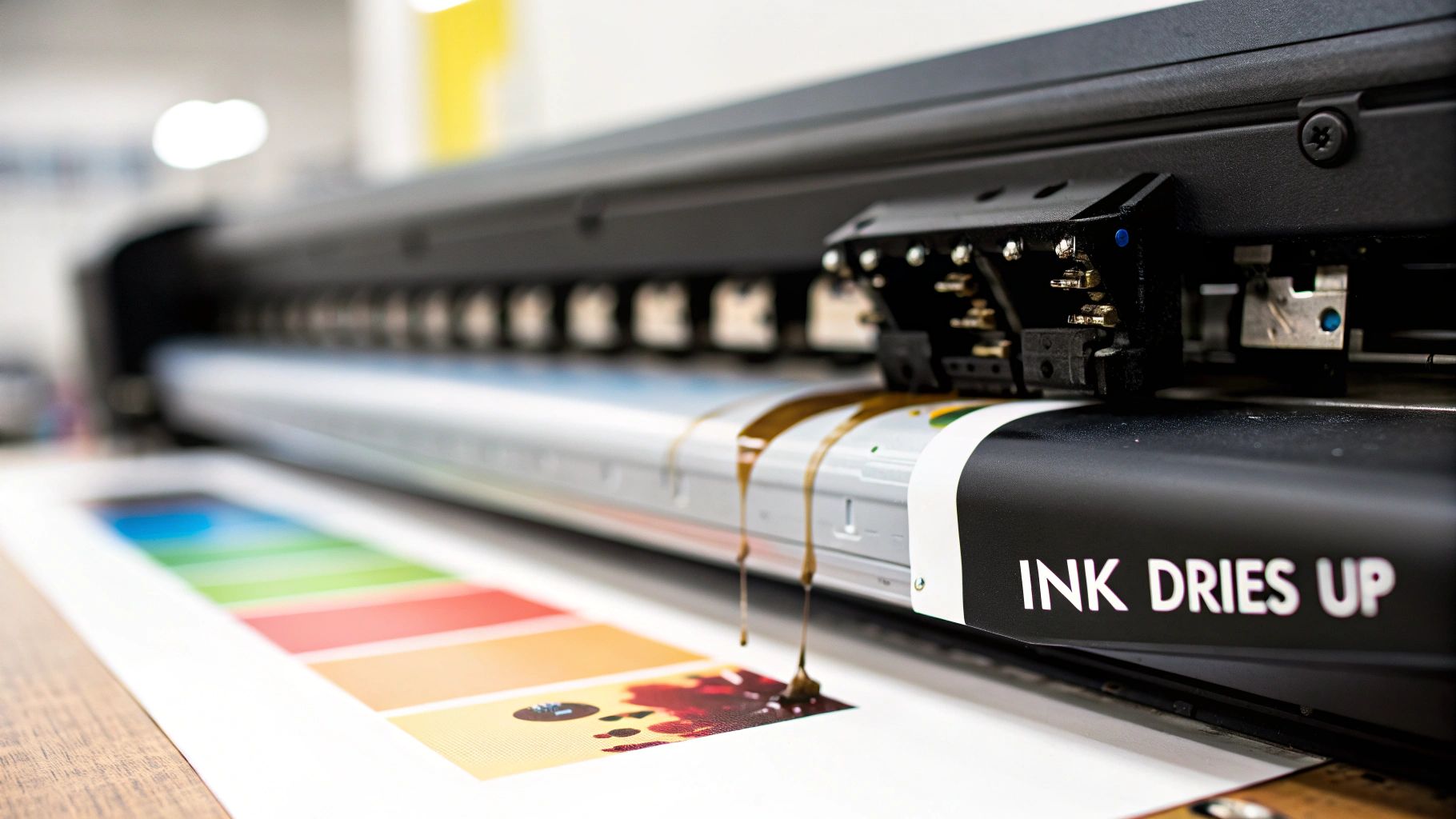
If you've ever come back from a vacation and tried to print something, only to get streaky, faded, or completely blank pages, you've seen this in action. The tiny nozzles in your printer's printhead have become blocked with dried ink.
A great way to think about it is like an uncapped marker. If you leave the cap off a Sharpie, the felt tip quickly dries out and becomes useless. The same exact principle applies to the hundreds of microscopic nozzles in your printer's printhead.
Inkjet vs. Laser: A Tale of Two Technologies
To really get why this happens, you need to understand the fundamental difference between the two main types of printers on the market. The drying problem is almost exclusively an inkjet issue.
Understanding the fundamental difference between printer technologies is key to managing your supplies. For instance, a small office that prints invoices sporadically might find a laser printer more reliable, while a photographer needing vibrant color prints will have to manage the risks of an inkjet.
Quick Guide to Ink Types and Drying Risk
| Printer Type | Printing Material | Risk of Drying Out |
|---|---|---|
| Inkjet | Liquid ink (pigment or dye) | High – Evaporation clogs printheads |
| Laser | Toner (dry powder) | Extremely Low – Cannot "dry out" |
As you can see, the core difference is liquid versus powder. One behaves like a pen, the other like a stamp.
Here’s a closer look:
- Inkjet Printers rely on liquid ink stored in cartridges. This ink is highly vulnerable to evaporation, which is the root cause of solidified pigments clogging the delicate printhead.
- Laser Printers use a fine, dry powder called toner. Since it’s already dry, toner can't "dry out." While extreme humidity can make it clump, it will never evaporate and clog components in the same way.
Think of an inkjet printer like a fountain pen—if you don't use it for a while, the ink dries in the nib and it won't write. A laser printer is more like a rubber stamp with a dry ink pad; it's always ready to go.
This key distinction explains why a laser printer can sit unused for months and work flawlessly, while an inkjet printer demands more consistent attention. Now, let’s dig into what causes ink to dry out and how you can stop it from happening.
What Really Makes Your Printer Ink Dry Out?
It's a frustrating moment we've all had: you go to print a document, and the page comes out streaky, faded, or completely blank. It’s almost never a random glitch. Dried-out ink is the result of a few specific conditions, and once you know what they are, you can easily avoid them.
The three biggest culprits are pretty straightforward: not using your printer enough, the environment it's in, and how the cartridges themselves are handled.
The #1 Cause: Your Printer is Just Sitting There
By far, the most common reason for clogged ink is simply letting the printer sit idle for too long. For example, a student who prints a term paper in December might find their printer clogged when they try to print another one in March. Inkjet printers work by spraying microscopic droplets of liquid ink onto the page through tiny nozzles in the printhead. When the printer isn't being used, the ink just sits in those nozzles, exposed to air.
Over days and weeks, the liquid base of the ink—usually water or a solvent—begins to evaporate. As it does, the pigment left behind gets thicker and eventually solidifies, creating a stubborn clog. This is exactly why you often see those frustrating white lines or missing colors after you get back from a long vacation. The ink has had way too much time to dry up and block the flow.
Your Office Environment Matters More Than You Think
The physical location of your printer plays a surprisingly big role in the life of your ink. Both heat and low humidity are the enemies of liquid ink because they dramatically speed up that evaporation process we just talked about.
Think of it like a wet sponge. If you leave it in a cool, damp corner, it stays wet for ages. But put that same sponge out in the hot, dry sun, and it’ll be bone-dry in no time. Your printer's ink cartridges are working against the same principles.
Where you place your printer can create a tiny, hostile micro-climate for your ink. Watch out for these common trouble spots:
- Direct Sunlight: A printer basking in a sunny window gets warm, and that heat is a fast track to dried-out ink.
- Heating Vents: Setting up a printer right over or next to a heat source is like blasting it with a hair dryer all day. A practical example is placing a home office printer directly under the floor vent that pumps out hot air all winter.
- Stuffy Rooms: Hot, poorly ventilated spaces trap warm air, making it much easier for ink to evaporate.
How You Handle Cartridges Makes a Difference
Finally, let's talk about how you handle the cartridges before they even make it into the printer. New ink cartridges come in vacuum-sealed packaging for a reason: to keep air out and moisture in.
A classic mistake is to tear open the protective plastic or pull off the sealing tape before you're actually ready to install it. Maybe you unbox a new cartridge planning to pop it in, get distracted, and leave it sitting on your desk for a week. The second that seal is broken, the clock starts ticking. The ink immediately starts the slow process of drying out, even if it's never printed a single page. Handling your supplies properly ensures they stay fresh right up until the moment you need them.
Understanding Ink Cartridge Shelf Life
You might think an unopened ink cartridge is good forever, but that’s not quite the case. Think of it like a can of food in your pantry—it has a "best by" date for a reason. Over time, the chemical compounds inside the ink start to break down, which can mess with color accuracy and overall print quality.
Even while sealed in its original packaging, the internal sponge that holds the ink can slowly begin to dry out. This is a huge deal for anyone buying supplies in bulk to get a better price. Imagine you stock up during a big sale, only to grab a cartridge a year later and find it prints faded, streaky pages or, even worse, clogs your printer's printhead. This is precisely why keeping an eye on expiration dates is so important when managing your inventory.
Why Expiration Dates Matter
The shelf life of a printer ink cartridge is something you can't afford to ignore. As a general rule, an OEM (Original Equipment Manufacturer) cartridge will be good for about two years as long as it stays sealed and is stored properly. Interestingly, some compatible or third-party cartridges can last a bit longer, sometimes up to three years. You can find more details on cartridge longevity from the experts at inkjetsclub.com.
This two-year window is a big reason why companies that buy surplus inventory, like Toner Connect, are so specific about their requirements. They typically require inkjet cartridges to have at least one year left before they expire. This ensures the next person who buys it gets a product that still works perfectly.
A cartridge's expiration date isn't just a suggestion; it's the manufacturer's guarantee of quality. For example, a marketing agency printing a client's brochure cannot risk using an expired magenta cartridge that prints in a dull, off-brand shade.
So, what are the biggest culprits when ink dries up before its time? This graphic gives a clear breakdown.
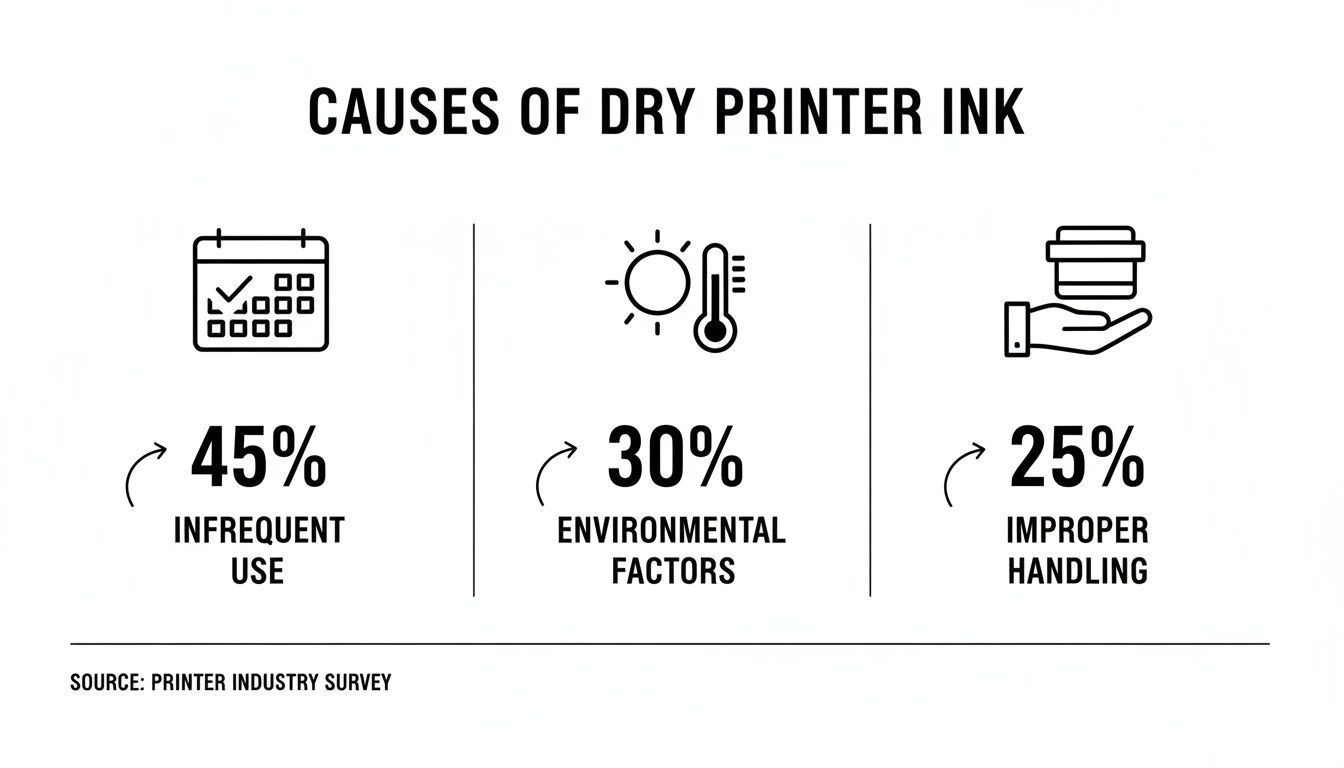
As you can see, not using your printer enough is the biggest factor, followed by the environment it's stored in and just plain improper handling.
How to Properly Store Ink Cartridges to Maximize Value
If you've ever bought ink in bulk to save money, you know the sinking feeling of grabbing a new cartridge only to find it's dried out. Protecting your investment really comes down to smart storage. Proper care keeps that ink fresh and ready to go, saving you from the frustration of a wasted purchase.

It helps to think of a sealed ink cartridge like a carton of milk. It has an expiration date and needs the right environment to avoid spoiling. The biggest enemies are extreme temperatures. Leaving a case of cartridges in a hot car in July or a damp basement in November is a surefire way to speed up ink degradation and ruin them before you even break the seal.
Best Practices for Ink Storage
To get the most out of your cartridges, the key is creating a stable environment that protects the ink and the delicate printhead. Just follow a few simple rules.
- Keep It Sealed: Leave cartridges in their original, vacuum-sealed packaging until the moment you need to install them. This is your number one defense against air exposure.
- Store It Upright: Always keep the box positioned so the cartridge stands upright, just as it would inside the printer. Storing it on its side or upside down can cause the ink to pool and clog the nozzles.
- Find a Cool, Dark Place: The best spot is a climate-controlled supply closet or a simple desk drawer. You’re looking for a place with consistent room temperature, well away from direct sunlight, heating vents, or windows. For example, a bedroom closet is a much better storage spot than a garage that gets hot in the summer and cold in the winter.
Good storage habits aren't just about protecting your wallet; they're also a huge win for the environment. A staggering 375 million empty cartridges end up in landfills every year, where it can take a millennium for them to decompose. Every cartridge that dries out unused contributes to that waste and is literally money thrown away.
Proper inventory management isn't just about saving money—it's about reducing waste. When you have surplus ink you don't need, the best move is to sell it before it expires. You can turn a potential loss into cash.
If your business is sitting on extra inventory, you can sell your surplus ink and toner instead of letting it expire. This approach helps you recover some of your initial cost and keeps perfectly good products from ending up in a landfill.
Quick Fixes and Long-Term Prevention Strategies
It’s happened to all of us. You go to print something important, like a boarding pass an hour before you need to leave for the airport, and the page comes out with ugly streaks or faded colors. More often than not, the culprit is ink that’s started to dry up in the printhead. Before you start thinking about buying a new cartridge, there's a simple first step that usually solves the problem.
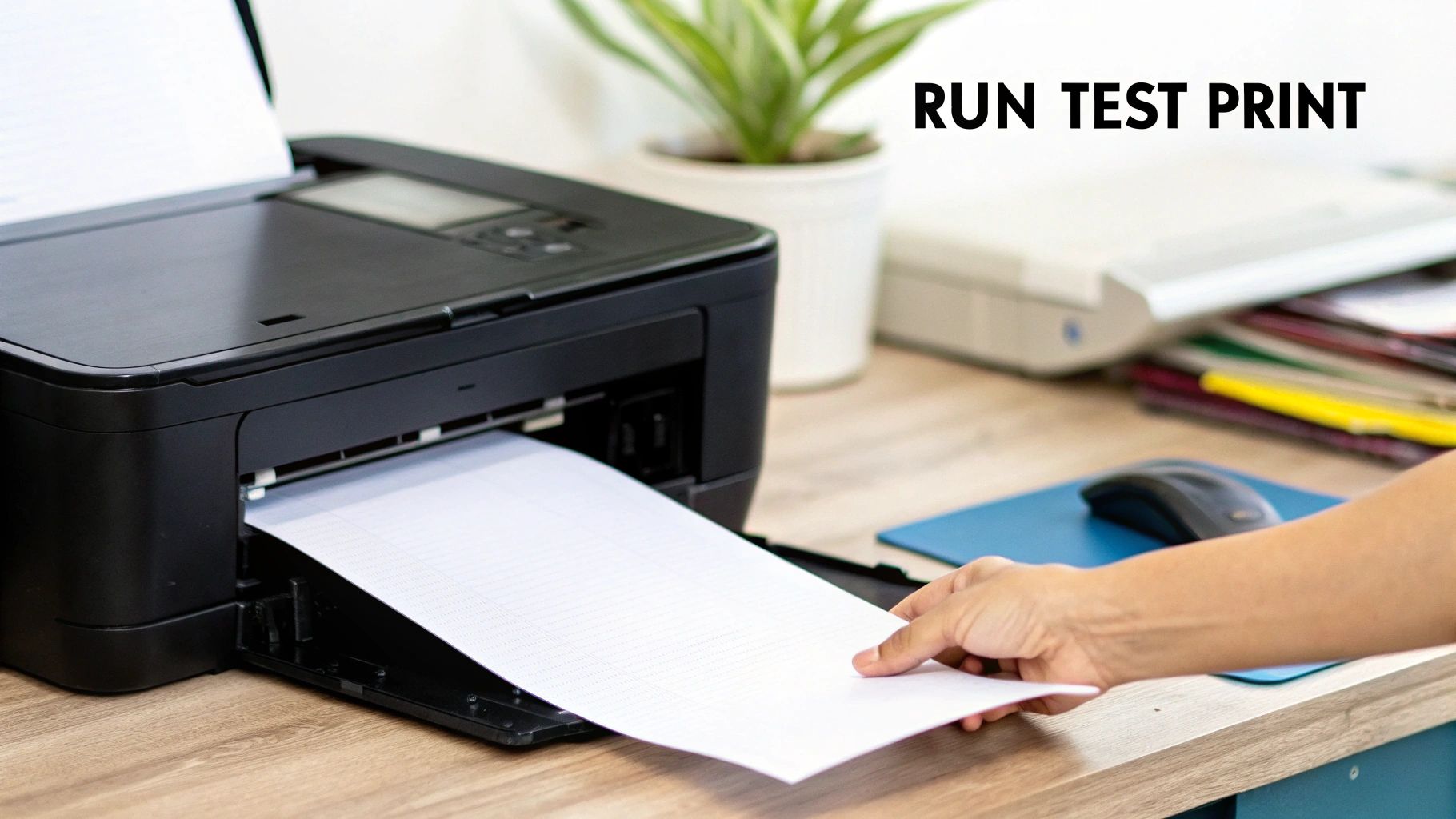
The most effective quick fix is to run your printer’s built-in head cleaning cycle. You can usually find this option right in your printer’s software on your computer or through the menu on its little display screen. This cycle basically forces a small amount of ink through the nozzles, which is often enough to dissolve minor clogs and get things flowing smoothly again.
Don't be discouraged if the first try doesn't work. It's perfectly fine to run the cycle two or even three times. Just keep in mind that each cycle uses a little ink, but it's a small price to pay to clear a blockage.
Proactive Steps to Prevent Dried Ink
While a head cleaning cycle is great in a pinch, prevention is really the best medicine. A few simple habits can keep your printer in top shape and your ink fresh, which will save you a lot of frustration and money down the road. For more deep dives into printer care, you can find a ton of helpful articles over at the https://tonerconnect.net/blog.
The single best thing you can do? Print something regularly.
- Print Weekly: Get into the habit of printing a small test page—something with both black and a bit of color—at least once a week. This simple act is enough to keep the ink moving through the delicate printhead. A good example is printing a weekly grocery list or a short online article.
- Use Sleep Mode: Instead of shutting your printer down completely, just let it go into sleep or standby mode. Many modern printers are designed to perform tiny, automated cleaning cycles while in this state, which helps keep the nozzles clear.
Think of regular printing like starting your car once a week in the winter. It keeps all the essential parts lubricated and ready to go when you actually need them.
Beyond these home-and-office tricks, some industries rely on advanced 'stay-open' ink technologies to ensure ink stays fresh for much longer. But for the rest of us, combining quick troubleshooting with consistent prevention is the key to making sure dried ink doesn't ruin your day.
Common Questions About Drying Printer Ink
When you're trying to manage printer supplies, a few common questions always seem to pop up. Let's clear the air and give you some straightforward answers to what people often ask about ink drying out.
Can I Revive a Completely Dried Out Ink Cartridge?
You might see "hacks" online suggesting you soak a cartridge in warm water or use alcohol, but honestly, it's a messy gamble. For a business, the risk of damaging a printer—and the downtime that comes with it—just isn't worth the few bucks you might save. For example, if you ruin a $300 printer to save a $40 cartridge, you've made a bad trade.
Your best first move is always the printer's own head cleaning cycle. Run it once or twice. If the clog is still there, swapping in a new cartridge is the most reliable way to get back to printing without a headache.
How Often Should I Print to Keep Ink From Drying?
A great rule of thumb is to print at least one page with both black and color every week or two. That little bit of activity is usually enough to keep the ink flowing and stop clogs from settling in.
Plus, many modern printers are smart enough to run their own mini maintenance cycles while in sleep mode. They'll do a quick check to keep the nozzles clear, all on their own.
Think of a weekly test print as cheap insurance. It uses a tiny drop of ink but can save an entire cartridge from ending up in the trash.
Does Shaking an Ink Cartridge Actually Help?
This is a classic myth that gets mixed up with toner. Shaking a toner cartridge helps distribute the dry powder inside, but it does nothing for liquid ink. Ink cartridges contain a sponge that holds the ink.
Shaking it won't fix a clog. In fact, you're more likely to introduce air bubbles, which can cause new problems like streaks and gaps in your prints. A practical example of this would be seeing white horizontal lines across your text even after running a cleaning cycle, which can be caused by air bubbles blocking ink flow. Stick to the printer's built-in cleaning function—it's what it's there for.
Why Does a New, Unopened Cartridge Have an Expiration Date?
That date is the manufacturer's promise of peak quality. Even in a sealed package, the ink's chemical composition can start to break down after a couple of years. The colors might lose their punch, and the internal sponge can start to deteriorate.
Popping in an expired cartridge is a surefire way to risk poor print quality and frustrating clogs. For any business that needs to produce professional documents, sticking to that "best by" date is a simple but critical practice. For example, a real estate agent printing a property flyer can't afford for the vibrant green lawn to look dull and brown because they used an expired cartridge.
Do you have surplus, unopened ink or toner cartridges nearing their expiration date? Don't let them go to waste. Toner Connect LLC helps businesses across the country turn that excess inventory into cash, quickly and easily. Visit https://tonerconnect.net to get your free quote today.