
It’s a question every inkjet printer owner has asked in a moment of frustration: does this stuff actually dry up?
The short answer is a resounding yes. Printer ink can and absolutely does dry out. This happens both to cartridges installed in your printer and, believe it or not, to brand-new cartridges still in their sealed packaging. It's easily the most common headache that comes with owning an inkjet.
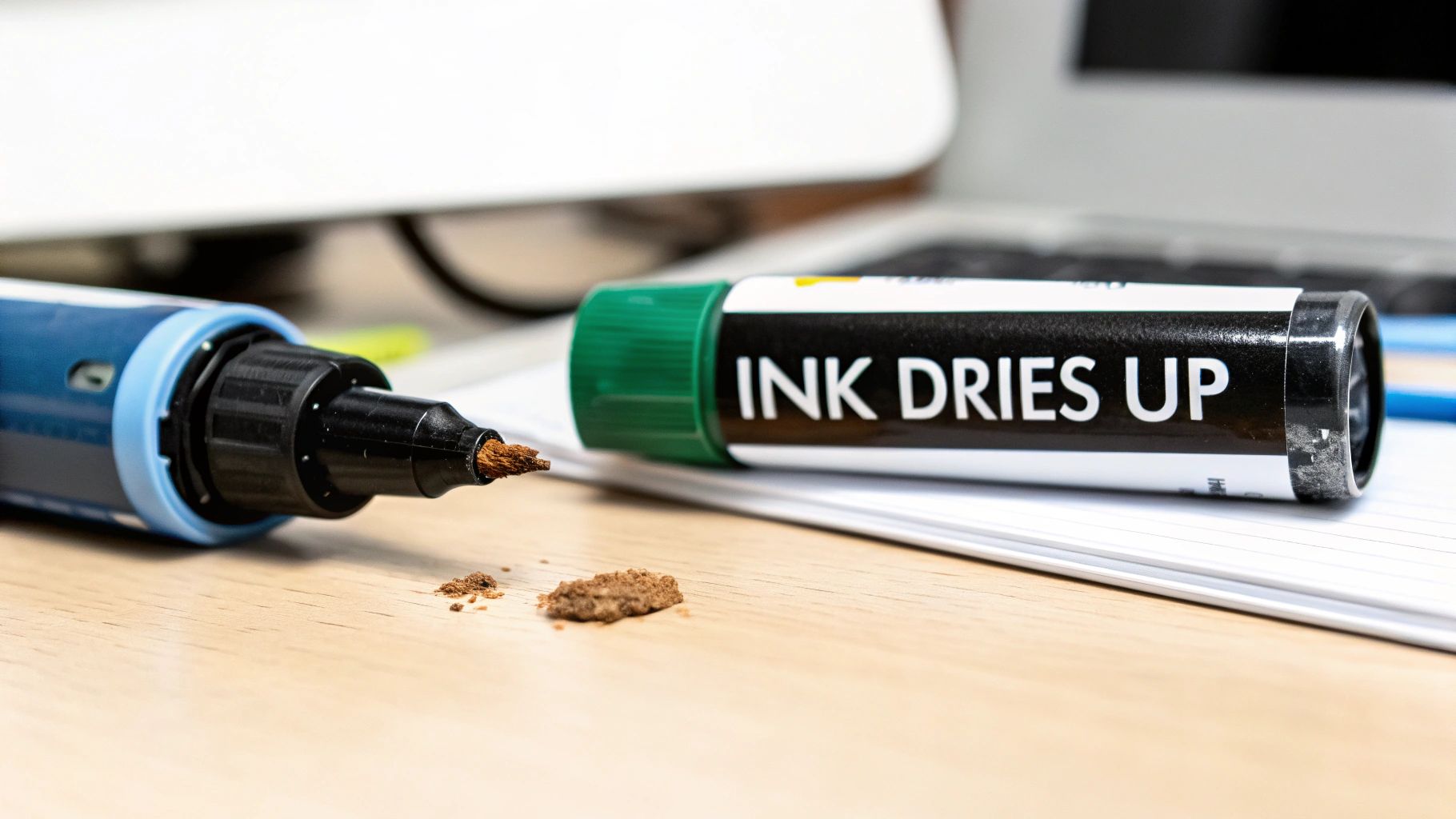
If you've ever fired up your printer after a few weeks of neglect only to be greeted by streaky, faded printouts, you've seen the aftermath firsthand. The real question isn't if your ink will dry up, but why it happens and what you can do about it. Getting a handle on the root causes is the first step to stop wasting ink and money.
At its core, the science is pretty simple. Inkjet printer ink is just a liquid—a carefully balanced mix of dyes and pigments suspended in a fluid base. As soon as that liquid hits the air, the fluid starts to evaporate.
Think about what happens when you leave the cap off a Sharpie. The solvent that keeps the ink flowing evaporates, leaving behind a thick, clumpy, and totally unusable pigment. The exact same thing happens inside your ink cartridges and, more importantly, in the microscopic nozzles of your printer’s printhead.
So, we know evaporation is the enemy. But it plays out in two different scenarios, one of which might surprise you.
In an opened, installed cartridge: Once you unwrap a cartridge and pop it into your printer, it’s exposed to air. The biggest culprit here is infrequent printing. When the printer sits idle, the tiny droplets of ink left in the printhead nozzles dry out and form clogs. For example, a student who only prints term papers once every few months will almost certainly find their printer clogged when they need it most.
In a sealed, unopened cartridge: Even a factory-sealed cartridge isn't immortal. Over its typical 12-24 month shelf life, the ink's chemical compounds can slowly break down. The pigments can settle out of the solution, and micro-evaporation can still occur, making an old "new" cartridge perform poorly from the get-go. A practical example is an office manager finding a "new" cartridge in a supply closet that's three years old; when installed, it produces faded, discolored prints because the ink has degraded over time.
The bottom line: It all comes down to evaporation and chemical degradation. For a printer in use, air exposure is the problem. For a cartridge in storage, time itself is the enemy, as the ink’s own chemistry works against it.
Let's dig a little deeper into the factors at play. Understanding what causes ink to expire will help you identify potential problems with your own setup.
This table gives you a quick summary of the main variables that determine how quickly your printer ink will expire, helping you immediately identify potential issues.
| Factor | Impact on Ink Drying | Best Practice |
|---|---|---|
| Infrequent Printing | The number one cause of clogs. Ink sits stagnant in the printhead nozzles, allowing it to evaporate and harden. | Print a test page in both black and color at least once a week to keep the ink flowing. |
| High Temperatures | Heat accelerates evaporation and can cause the ink's chemical composition to break down faster. | Store cartridges and the printer in a cool, dark place, away from direct sunlight or vents. |
| Low Humidity | Dry air pulls moisture out of the ink much more quickly, leading to faster evaporation and thickening. | Avoid storing your printer or spare cartridges in overly dry or arid environments. |
| Improper Storage | Storing cartridges upright and in their original sealed packaging is crucial for longevity. | Keep unopened cartridges sealed, stored upright, and within a stable temperature range. |
| Cartridge Age | Even when sealed, the chemical components of the ink degrade over time, leading to poor performance. | Check the expiration date on the package and aim to use cartridges within 1-2 years of purchase. |
Recognizing these factors is the first step. Now, let’s explore how you can actively protect your investment. This guide will walk you through everything from smart storage to understanding the huge difference between inkjet ink and laser toner, so you can get the most out of every drop.
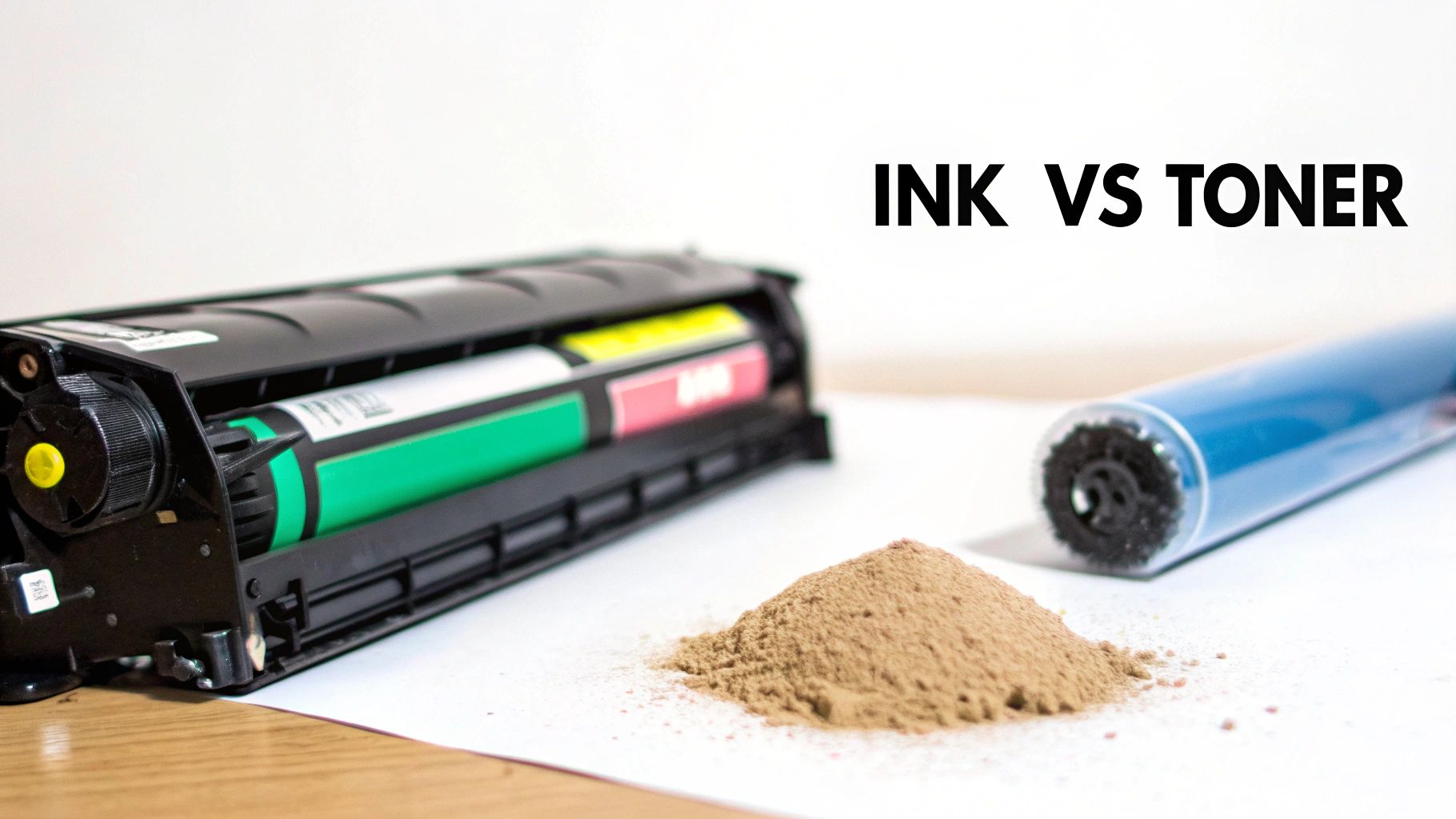
Before we can even tackle the question of ink drying up, we need to talk about what's actually inside your printer. The answer depends entirely on whether you own an inkjet or a laser printer. These two technologies are worlds apart, and that difference is the key to understanding why one type of cartridge clogs up while the other sits happily on a shelf for years.
An inkjet cartridge is basically a tiny, precision-engineered tank filled with liquid ink. It's a sophisticated mix of pigments or dyes suspended in a fluid base. When you hit "print," your printer sprays thousands of microscopic droplets of this liquid through incredibly fine nozzles to create the image on the page.
It’s this very liquid nature that causes all the trouble. Think about an uncapped pen—the ink at the tip dries out and hardens. The same principle applies here. The liquid in the ink is prone to evaporation, which is the root cause of nearly all drying-related inkjet problems.
The issue really comes at you from two angles. First, the ink still inside the cartridge can slowly thicken over time as its liquid base evaporates, making it sludgy and unusable. But the more immediate problem happens right at the printhead.
The tiny nozzles that spray the ink are constantly exposed to air. When you don't print for a while, the little bit of ink left in those openings hardens into a solid plug.
Let's say you go on vacation for a month. When you get back and try to print a boarding pass, the page comes out with streaks, or maybe it's completely blank. That’s because the ink in the nozzles has turned into a cement-like clog, and no fresh ink can get through. This is exactly why an inkjet printer can fail after just a few weeks of sitting idle.
Now, let's look at the other side of the coin. Toner cartridges, which are used in laser printers, don't contain any liquid at all. Instead, they’re filled with a very fine, dry powder—a special blend of plastic particles, carbon, and coloring agents. A laser printer uses a combination of static electricity and heat to melt (or "fuse") this powder directly onto the paper.
Because toner is a dry powder to begin with, it fundamentally cannot "dry up" like liquid ink. There's no liquid to evaporate, which completely sidesteps the main reason inkjet cartridges fail.
Of course, toner isn't completely invincible. If you store it in a really humid environment, the powder can sometimes absorb moisture from the air and start to clump. For instance, storing a spare toner cartridge in a damp basement might cause the powder to stick together, resulting in blotchy or uneven prints. But this is a far rarer problem than ink evaporation and requires pretty extreme conditions.
This is why a sealed toner cartridge can sit on a shelf for years and still work perfectly. Its natural stability is a huge plus for anyone who doesn't print very often. And it’s the reason why the question of whether printer ink will dry up is almost exclusively a headache for inkjet owners.
You've probably noticed that little "use by" date on your ink cartridge box. It's easy to dismiss it as a suggestion, but it's actually there for a very good reason. Even when it's sealed up tight in the original packaging, the ink inside is on a slow, one-way trip toward breaking down.
Think of printer ink not as colored water, but as a complex chemical soup. Over time, that perfect mixture starts to separate. The color pigments can slowly sink and settle at the bottom, just like what happens in an old can of house paint. If you try to print with it, you'll end up with faded, streaky, or just plain weird-looking colors.
But that's not the only thing going wrong. The ink's viscosity—a fancy word for its thickness and ability to flow—also changes. As the chemical formula degrades, the ink can get too thick to squeeze through the printer's microscopic nozzles, or so thin it just bleeds all over the paper. On top of that, tiny air bubbles can form inside the liquid, creating blockages that leave blank spots and lines across your documents.
So, that date on the box? It’s the manufacturer's promise that, up until that day, the ink will work exactly as it's supposed to. Go past that date, and you're essentially gambling with your print quality.
For most major brands, a brand-new, unopened inkjet cartridge has a shelf life of about 12 to 24 months. This is the golden window before you start running a real risk of color shifts and viscosity problems. If you're curious, you can learn more about how standards work across the ink cartridge market.
Trying to use an expired cartridge isn't just a threat to your documents; it's a threat to your printer. Shoving thick, separated, or sludgy ink through the delicate printhead can cause clogs that are impossible to clear.
A standard cleaning cycle won't budge these kinds of blockages. In a worst-case scenario, you could be looking at a pricey repair bill or even a dead printer—all from trying to save a few bucks on an old cartridge.
Let’s put this in a real-world context. An office manager, trying to be smart, buys a year's supply of ink to get a bulk discount. Eighteen months later, they pull a "new" cartridge from the back of the closet to print an urgent report.
Here’s what can happen:
These examples happen all the time, and they highlight why paying attention to that expiration date is so crucial. A simple "first-in, first-out" system for your supply closet can save you a world of frustration and unexpected costs. It's the best way to make sure that when you ask, "will my printer ink dry up?", the answer is a confident "not on my watch."
Knowing that printer ink can dry out is one thing, but actually preventing it is where you save real money. The single best way to protect your investment is proper storage. Getting the environment and handling right can be the difference between a perfectly good cartridge and a useless, dried-out brick.
The rules change based on one simple question: is the cartridge opened or still sealed? Each situation needs a slightly different approach, but thankfully, both are easy to follow. A few good habits will help you get every last drop out of the cartridges you buy.
When you have a new, unopened cartridge, your main goal is to keep it in its factory-fresh condition for as long as possible. That vacuum-sealed packaging is your best friend because it keeps the ink's number one enemy—air—from getting in.
To get the maximum shelf life, just follow these simple guidelines:
A stable environment is absolutely crucial. When you understand how climate-controlled environments protect sensitive items, it's easy to see why big swings in temperature or humidity are bad for something as delicate as ink. A consistent, room-temperature spot is what you're looking for.
The golden rule for unopened ink is simple: leave it in the box, store it upright, and keep it in a stable, room-temperature environment away from light. This simple discipline preserves the ink's chemical integrity until it's ready for use.
Once a cartridge is actually in your printer, the game changes. The seal is broken, and the ink is now exposed to the air through the tiny nozzles on the printhead. From this point on, the goal is to keep the ink flowing smoothly and prevent those microscopic nozzles from getting clogged.
The solution isn't complicated: use your printer regularly. Think of your printer like a car—letting it sit unused for months is one of the worst things you can do. Firing it up every so often keeps all the parts lubricated and working as they should.
Printing just one page a week is usually enough to keep clogs from forming. It doesn't need to be a 20-page report; a single test page with both black and color on it will do the job. A great practical habit is to print your weekly grocery list or a to-do list for the weekend. This simple action pushes fresh ink through the nozzles, clearing out any ink that might have started to thicken up. You can find more practical tips for managing your office printing supplies on our Toner Connect blog.
To make it even clearer, here’s a quick-glance guide to the do's and don'ts of ink cartridge storage, whether it’s sitting on a shelf or already in your printer.
| Storage Rule | Do (The Right Way) | Don't (Common Mistakes) |
|---|---|---|
| Packaging (Unopened) | Leave cartridges in their original, sealed packaging until you're ready to use them. | Tearing open the plastic wrap "just to check" on a cartridge you won't use for months. |
| Orientation | Store cartridges upright, in their normal vertical position. | Storing them on their side or upside down, which can cause ink to settle improperly. |
| Location | Keep them in a cool, dark, and stable place like a closet or desk drawer. | Leaving cartridges on a windowsill, in a hot car, or in a damp basement. |
| Printer Usage (Installed) | Print a test page at least once a week to keep the nozzles clear. | Letting the printer sit unused for weeks or months at a time. |
| Cartridge Handling | Only remove an installed cartridge if you're replacing it or troubleshooting a specific issue. | Taking cartridges in and out of the printer unnecessarily, which exposes the nozzles to air. |
Following these simple rules is the best way to ensure your ink is ready to go when you need it and to stop wasting money on replacements for cartridges that dried out too soon.
We’ve all been there. You have a deadline, you hit "Print," and… nothing. Or worse, you get a page of streaks and blank lines. It’s incredibly frustrating, but before you throw that pricey ink cartridge in the bin, there are a few things you can try. The trick is to start with the safest, easiest fixes first.
Your printer actually has a built-in first-aid kit for this exact problem: the head cleaning cycle. You can usually find this option in your printer's software under a "Maintenance" or "Tools" menu. This function essentially forces a small amount of ink through the nozzles to break up any minor clogs. Run the cycle just once, and then print a nozzle check or a simple test page to see if you’ve made any progress.
If that one cleaning cycle did the trick and your test page looks perfect, congratulations! You're back in business. If you still see gaps or streaks, it’s okay to try running the cycle one more time. But I’d strongly advise against running it more than twice in a row.
Here's why: those cleaning cycles are ink hogs. They don't just use the color that's clogged; they flush ink from all your cartridges. It's shockingly easy to waste more money on ink during cleaning than the clogged cartridge was even worth.
If two cycles haven't cleared the blockage, you’ve reached a crossroads. Some guides might suggest manually cleaning the printhead with distilled water and a lint-free cloth. Honestly, I don't recommend it. As a practical example, you might accidentally push a loose fiber from the cloth into a nozzle, creating a permanent clog, or get moisture on the electronic contacts, frying the printhead completely. For most of us, it’s a gamble that just isn’t worth it.
Of course, the best fix is prevention. This simple decision tree shows the two most effective ways to stop clogs before they even start.
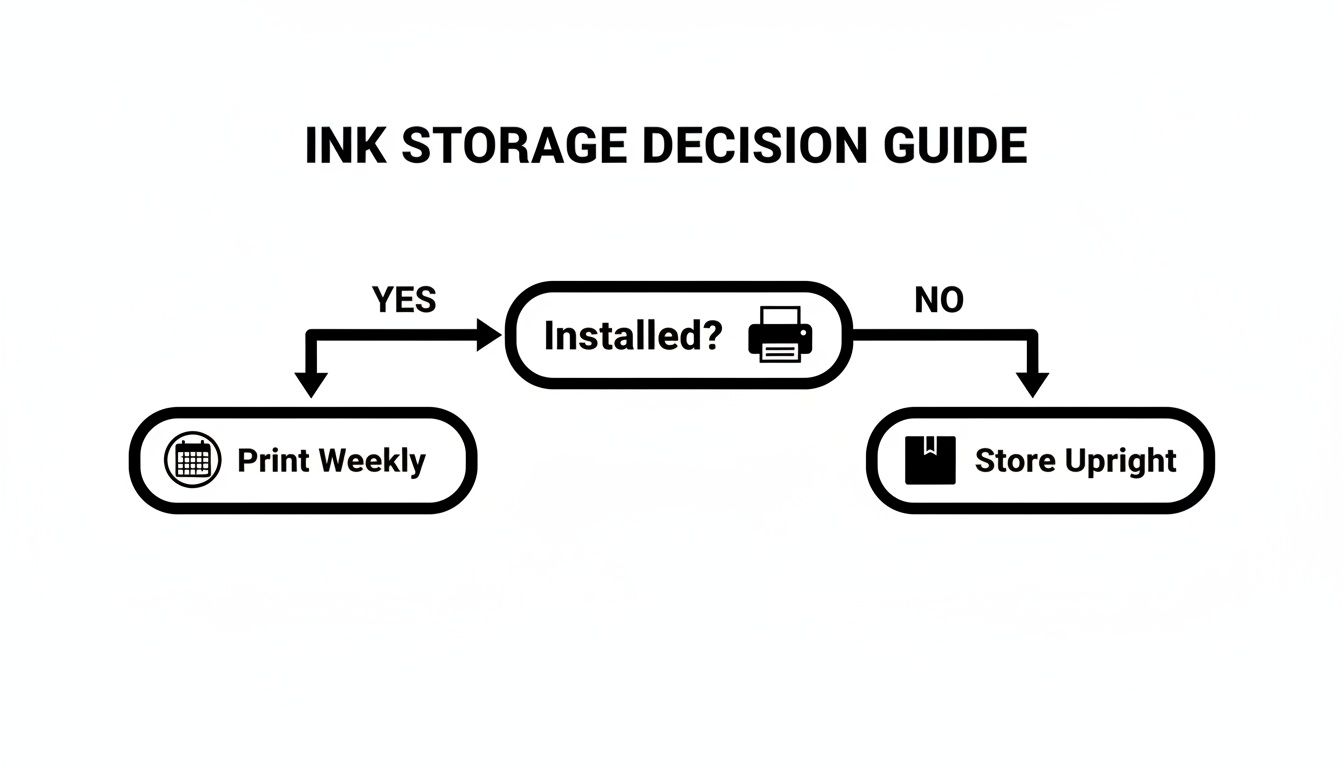
As you can see, it really boils down to two core habits: using your printer regularly if cartridges are installed and storing any extras properly.
So, how do you know when a cartridge is truly a lost cause? The hard truth is that once the ink has chemically broken down, no amount of cleaning is going to bring it back. When we say ink has "dried up," it's more than just water evaporating. The chemical properties change, its viscosity increases, and it can form a stubborn blockage that’s impossible to clear. Using this degraded ink just leads to poor-quality prints and forces you to run even more cleaning cycles. You can learn more about how expired ink affects printer performance to understand the science behind it.
Here are the clear signs it’s time to just get a new cartridge:
The absolute best way to deal with ink drying out is to make sure it never becomes your problem in the first place. Instead of seeing that stack of extra cartridges as a storage headache, look at it for what it is: a financial opportunity. This simple shift in thinking turns a waste management issue into a value recovery win.
It's completely normal for businesses to end up with extra ink cartridges. Maybe the office just upgraded its entire printer fleet, or your printing needs changed unexpectedly. For a practical example, imagine a marketing department switches from printing brochures in-house to using a professional print service. Suddenly, they have dozens of high-capacity ink cartridges for a printer they no longer use. The result is the same: perfectly good, unopened cartridges sitting on a shelf, slowly losing their value.
That box of surplus ink isn't just taking up space; it's a depreciating asset. With every day that passes, it creeps closer to its expiration date, after which it’s worth next to nothing. The good news? You can easily convert that potential loss into cash right now by selling your unused supplies.
A trustworthy buyback service can take those unopened, genuine OEM cartridges off your hands. It’s a strategy with some pretty powerful benefits:
Honestly, it's the smartest way to handle printing supplies, making sure nothing goes to waste. These situations are a natural byproduct of business purchasing, and for a wider look at turning unused items into capital, you can learn how to liquidate assets for maximum return.
Think about how larger companies operate. They often standardize on a few printer models and then refresh the entire fleet every 3–5 years. When those devices get retired or a service contract changes, you're inevitably left with unopened OEM cartridges for printers you no longer have.
Selling that stock well before it gets anywhere near its expiration date doesn't just sidestep the physical risk of ink drying out—it recovers cash that would have otherwise vanished.
By selling your surplus cartridges, you’re not just avoiding a problem; you’re actively improving your bottom line. It’s a simple, effective way to close the loop on your supply chain and make sure no dollar is left sitting on the shelf.
A simple, straightforward process makes all the difference here. You can get a quick, no-obligation quote to find out exactly what your surplus ink is worth.
If you’re ready to see just how easy it is to turn those extra cartridges into cash, you can get a quote for your unused toner and ink here.
Alright, let's wrap this up by tackling some of the questions we hear all the time. If you're still wondering, "will my printer ink dry up?" these quick answers should clear things up and help you handle your printer supplies like a pro.
Technically, yes, but it's a bit of a crapshoot. While an expired cartridge might print something, you're rolling the dice on print quality. You could end up with streaky lines, weird colors, or even a clogged printhead.
Think of the expiration date as the manufacturer's promise of quality. Once you go past that date, you're on your own, and you risk potential printer damage for a cartridge that probably won't work well anyway. For example, using a two-year-expired magenta cartridge might print photos where all the skin tones look orange or yellow, ruining a batch of expensive photo paper.
With an inkjet printer, try not to let it sit idle for more than a few weeks. Once you hit a month of inactivity, the chances of ink drying inside the delicate printhead nozzles go way up.
The easiest way to prevent this? Just print a single test page once a week. That's all it takes to keep the ink flowing and the nozzles clear.
The single most important thing to remember is this: consistent, light use is much healthier for an inkjet printer than long breaks followed by intense printing sessions. A weekly test print is your best friend.
Shaking an old or potentially dried-out liquid ink cartridge is a bad idea and almost never works. In fact, it can make things worse by forcing air bubbles into the system, which can cause blockages and mess up the ink flow even more.
If a cartridge is giving you trouble, the first and safest thing to do is run your printer's built-in head cleaning cycle.
Believe it or not, most modern inkjet printers are designed to be left on. When they're in sleep or standby mode, they sip a tiny amount of power but can run quick, automatic maintenance cycles to keep the printheads in good shape.
Turning the printer off completely stops these cycles from happening, which can actually make it more likely for the ink to dry out. For more tips on printer care, head over to our comprehensive FAQ page.
Sitting on a stockpile of unopened, genuine ink or toner cartridges? Don't let them sit on a shelf until they expire. Toner Connect LLC will buy your surplus supplies, turning that clutter into cash. Get a fast, free quote today and see just how simple it is to get value back from your unused inventory. Find out more at https://tonerconnect.net.
