Is Your Toner Cartridge Clogged? Here’s How to Fix It
A toner cartridge clogged issue can cause faded prints, streaks, or uneven text. While toner cartridges don’t clog like ink cartridges, toner buildup, blocked components, or improper storage can affect print quality. Identifying the cause and following the right troubleshooting steps can often restore normal printer performance.
Can a Toner Cartridge Get Clogged?
Toner cartridges don’t clog in the same way as ink cartridges, but toner buildup and blocked components can create similar printing problems.
Unlike inkjet cartridges that use liquid ink, laser printer toner is a fine, dry powder. Because of this, toner doesn’t dry inside nozzles.
However, people often describe print quality issues as a toner cartridge clogged problem when toner buildup, dirty printer components, or a faulty cartridge prevents proper printing.
Definition:
A toner cartridge clogged issue refers to any blockage, toner buildup, or internal problem that prevents toner from transferring properly onto paper, resulting in poor print quality.
What Causes a Toner Cartridge Clogged Issue?
Poor storage, toner buildup, worn components, or damaged cartridges are common causes.
Several factors can contribute to printing problems that resemble a clogged toner cartridge.
Common causes include:
- Toner buildup inside the cartridge
- Dirty printer rollers
- Worn imaging drum
- Damaged cartridge components
- Incorrect cartridge installation
- Moisture exposure
- Using incompatible toner cartridges
Proper storage and regular printer maintenance can help reduce these issues.
Signs Your Toner Cartridge May Be Clogged
Poor print quality is usually the first sign of a toner cartridge problem.
Watch for these symptoms:
- Faded text
- White streaks
- Missing sections on printed pages
- Uneven black areas
- Toner smudges
- Light print output
- Repeated printer error messages
These symptoms can also indicate worn printer parts, so it’s important to troubleshoot carefully.
How to Fix a Toner Cartridge Clogged Issue?
Simple cleaning and inspection steps often resolve toner flow problems.
Remove and Inspect the Cartridge
Check the cartridge for visible damage before reinstalling it.
Inspect for:
- Cracks
- Toner leaks
- Broken plastic
- Loose components
Replace damaged cartridges if necessary.
Gently Shake the Toner Cartridge
Shaking the cartridge helps redistribute toner powder evenly.
Hold the cartridge horizontally and gently rock it from side to side several times.
Avoid vigorous shaking, which may damage the cartridge or cause toner leaks.
Clean the Printer Interior
Removing excess toner dust improves print performance.
Turn off the printer before cleaning.
Use:
- A lint-free cloth
- Manufacturer-approved cleaning materials
- Compressed air only if recommended by your printer manufacturer
Never use water inside the printer.
Check the Imaging Drum
A worn drum can create symptoms similar to a clogged toner cartridge.
Inspect the drum for:
- Scratches
- Toner buildup
- Visible damage
Some printers use a separate drum unit that can be replaced independently.
Reinstall the Cartridge
Improper installation can prevent proper toner transfer.
Remove and reinstall the cartridge until it clicks securely into place.
Restart the printer and print a test page.
When Should You Replace the Toner Cartridge?
Replace the cartridge if cleaning and troubleshooting don’t improve print quality.
Consider replacement if:
- The cartridge leaks toner.
- The housing is cracked.
- The cartridge is empty.
- Print quality remains poor after cleaning.
- The printer cannot recognize the cartridge.
Using a damaged cartridge may affect both print quality and printer performance.
How to Prevent a Toner Cartridge Clogged Problem?
Proper storage and routine maintenance help prevent toner-related issues.
Best practices include:
- Store cartridges in a cool, dry place.
- Keep cartridges sealed until needed.
- Clean the printer regularly.
- Use cartridges designed for your printer model.
- Avoid exposing toner to excessive humidity.
- Print regularly if recommended by the manufacturer.
Preventive care helps extend cartridge life and maintain consistent print quality.
What Should You Do with Unused OEM Toner?
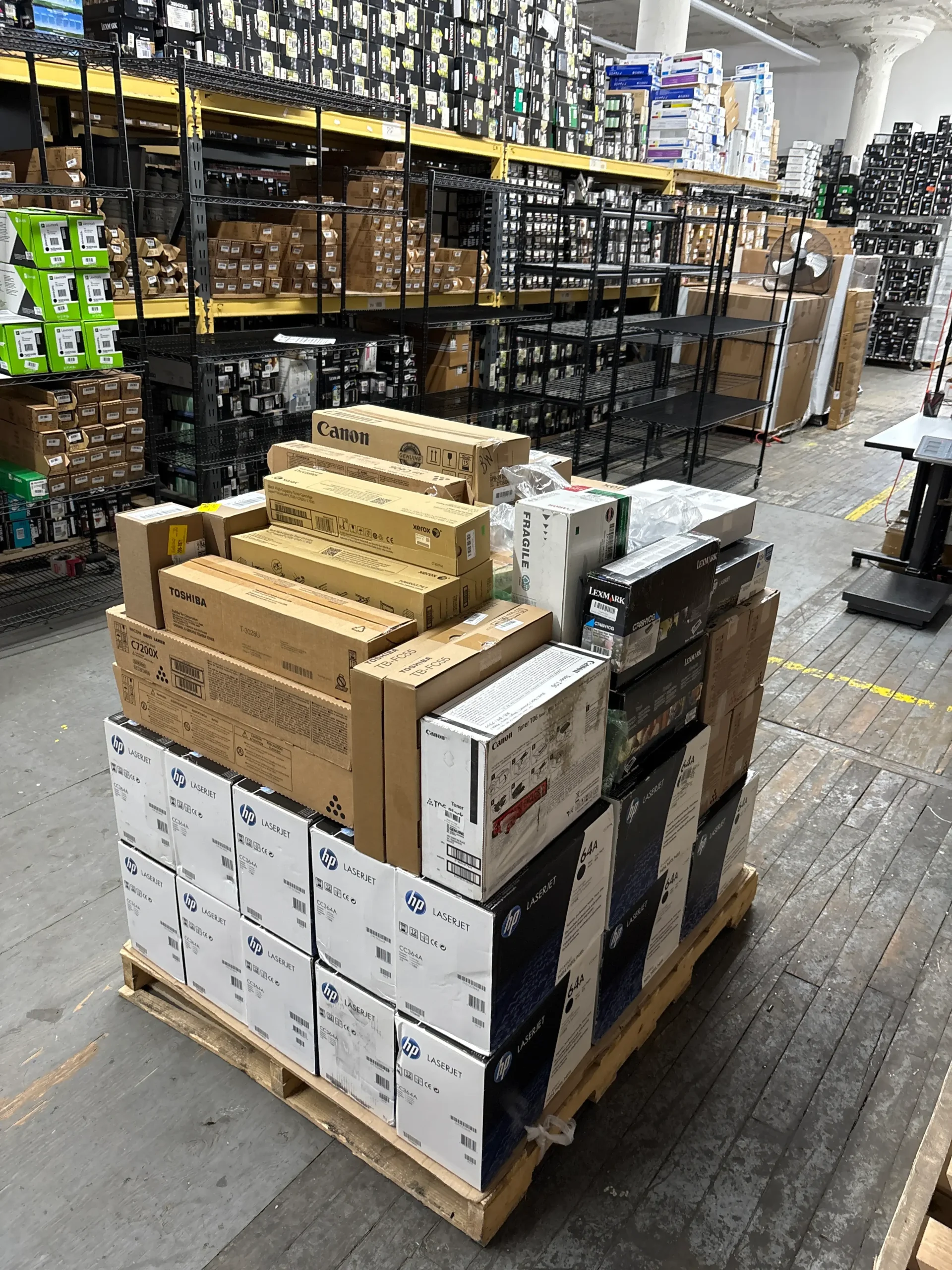
If you have unopened OEM toner you no longer need, you may be able to sell it.
Businesses often replace printers before using every toner cartridge they purchased.
Rather than allowing unopened OEM toner to remain in storage, consider selling eligible cartridges through Toner Connect.
Benefits include:
- Recovering part of your original investment
- Freeing valuable storage space
- Reducing unnecessary waste
- Supporting sustainability initiatives
Helpful Statistics
Proper printer maintenance and responsible toner management support both cost savings and sustainability.
Recent data includes:
- The world generated 62 million metric tons of electronic waste in 2022.
- Only 22.3% of global e-waste was formally collected and recycled in 2022.
- Regular printer maintenance can help reduce unnecessary cartridge replacement and extend printer life.
Frequently Asked Questions
Here are answers to common questions about toner cartridge clogged issues.
Can toner cartridges actually clog?
Not like ink cartridges.
Laser toner uses dry powder, but toner buildup or damaged components can create similar symptoms.
Is shaking the toner cartridge safe?
Yes.
Gently rocking the cartridge can help redistribute toner powder. Avoid shaking it aggressively.
Why are my prints faded after installing a new toner cartridge?
Protective seals, incorrect installation, or printer maintenance issues may be preventing proper toner transfer.
Should I repair or replace a damaged toner cartridge?
Replace it.
Using a damaged cartridge may lead to leaks, poor print quality, or printer damage.
Conclusion
Most toner cartridge clogged issues can be resolved with proper inspection, cleaning, and maintenance.
Although toner cartridges don’t clog like ink cartridges, toner buildup, damaged components, or improper installation can affect print quality. By following the troubleshooting steps above, you can often restore normal printing without replacing the cartridge immediately. If you have unopened OEM toner left over after upgrading your printers, Toner Connect can help you recover value by purchasing eligible surplus toner.