
How Printing Habits Affect Toner Cartridge Page Count?
Many printer users expect toner cartridges to produce exactly the number of pages listed on the packaging. However, actual toner cartridge page count often depends heavily on individual printing habits. While manufacturers use standardized testing methods to estimate cartridge yield, real world printing conditions can vary significantly from one user to another.
From printing large graphics and photos to using high quality print settings, daily printing behavior directly affects how quickly toner cartridges run out. Therefore, understanding how printing habits influence toner cartridge page count can help businesses and home users reduce printing costs, improve efficiency, and maximize cartridge lifespan.
Whether you print occasionally at home or manage heavy office printing, smarter printing habits can make a noticeable difference in toner usage.
What Is Toner Cartridge Page Count?
Toner cartridge page count refers to the estimated number of pages a cartridge can print before replacement becomes necessary.
Manufacturers usually calculate page yield using ISO testing standards under controlled conditions. These tests often assume:
- Approximately 5% page coverage
- Standard print settings
- Typical office documents
- Consistent printing environments
However, everyday printing habits rarely match these exact testing conditions.
Because of this, actual toner cartridge page count may be lower or higher depending on usage patterns.
Heavy Graphics Use More Toner
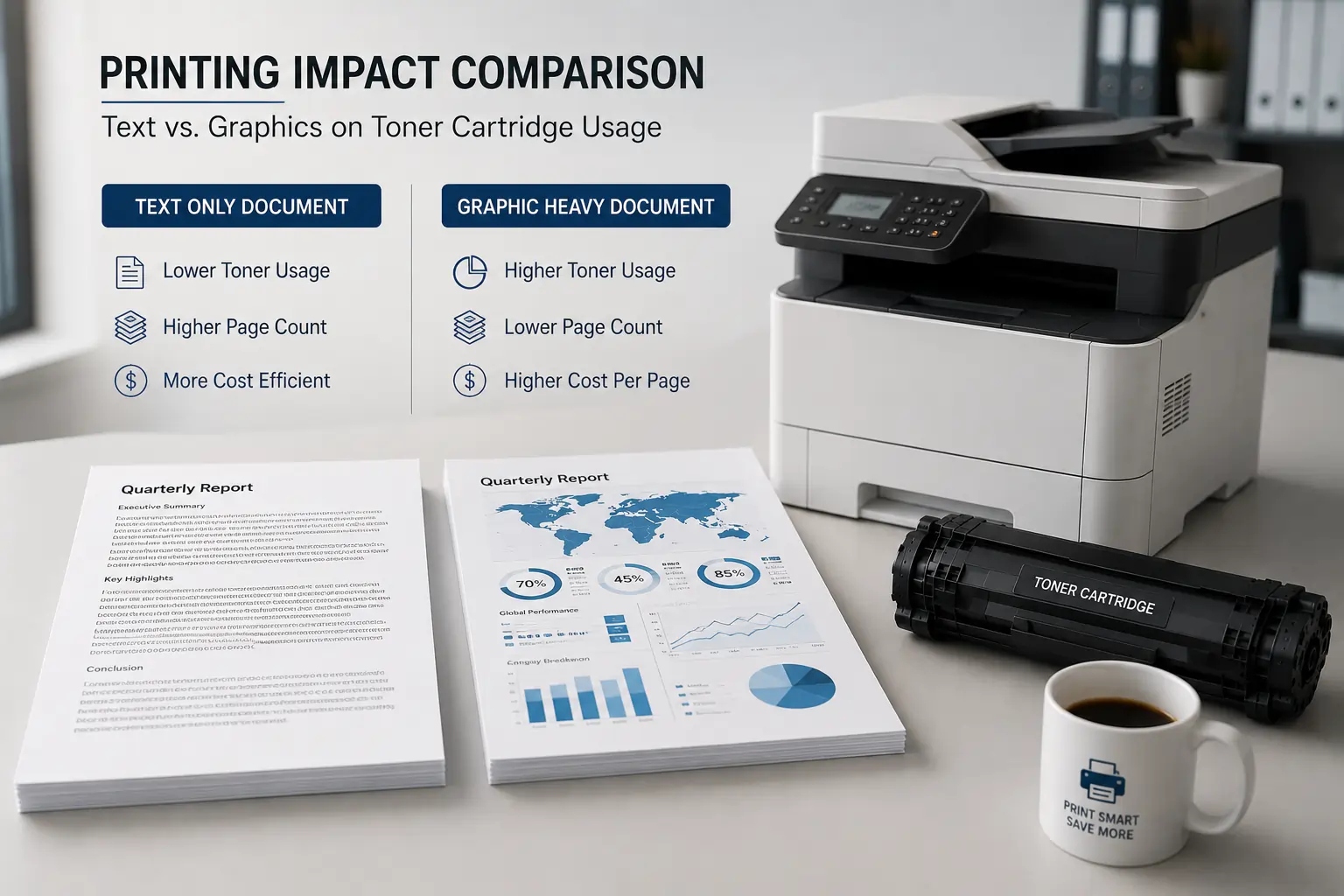
One of the biggest factors affecting toner cartridge page count is document design.
Large Images and Photos
Documents containing:
- High resolution images
- Full page graphics
- Marketing materials
- Dark backgrounds
consume much more toner than simple text pages.
Bold Text and Dense Layouts
Heavy text formatting and large dark sections increase toner coverage on each page.
As a result, cartridges may run out faster than expected when printing graphic heavy documents regularly.
Print Quality Settings Affect Toner Usage
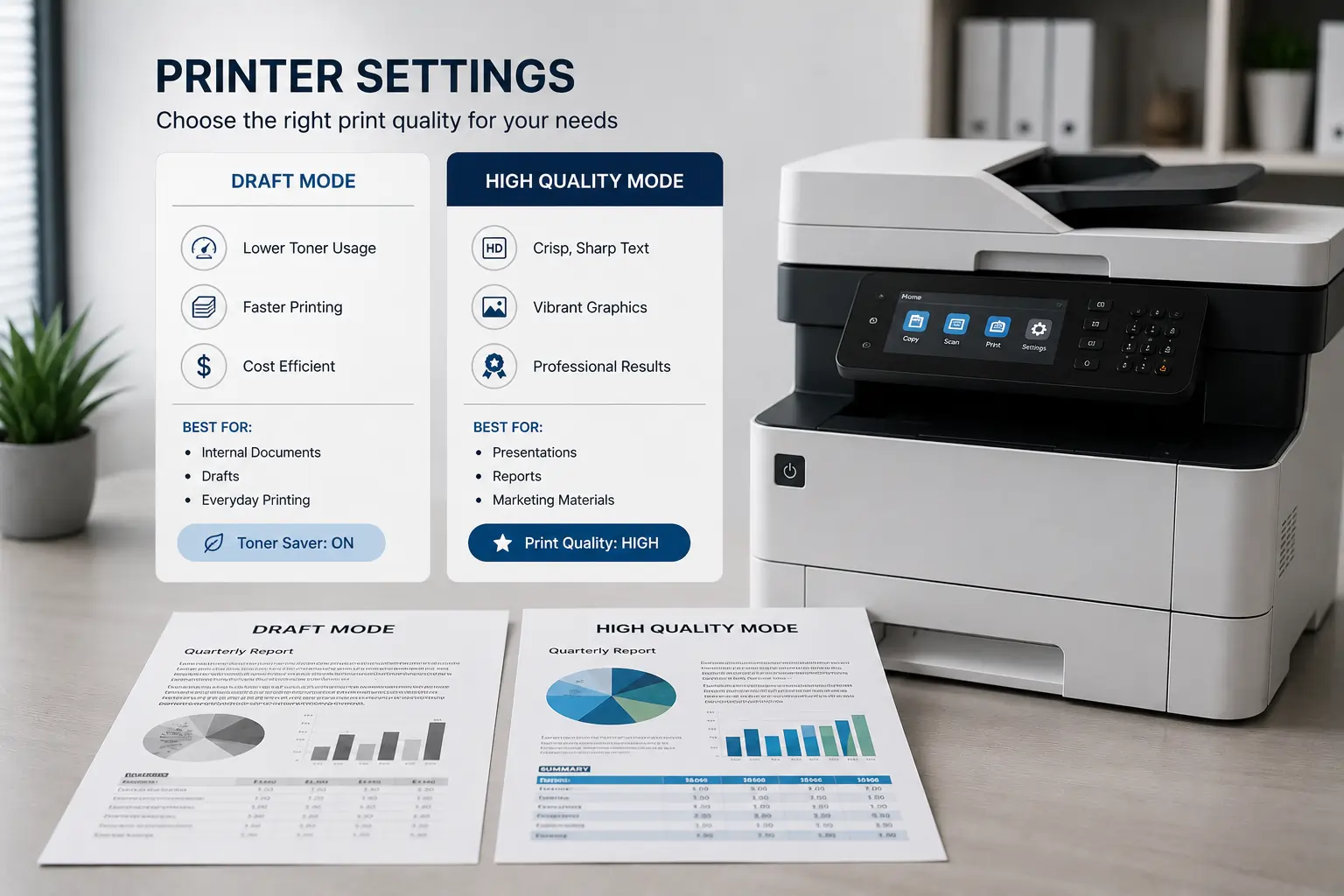
Printer settings directly influence toner consumption.
High Quality Print Mode
High resolution settings use more toner to produce sharper images and darker text.
Draft or Toner Saving Mode
Draft mode reduces toner usage by printing lighter text and lower density graphics.
For internal office documents or rough drafts, toner saving mode may significantly extend cartridge life.
Therefore, choosing the right print quality setting helps balance print appearance and toner efficiency.
Frequent Small Print Jobs Can Reduce Efficiency
Many users assume only page volume affects toner usage. However, frequent short print jobs may also reduce cartridge efficiency.
Printer Warm Up Cycles
Laser printers often use toner and energy during startup and calibration processes.
Repeated Printing Interruptions
Printing one or two pages at a time throughout the day may consume more toner overall compared to larger batch print jobs.
Because of this, grouping print tasks together may improve toner efficiency.
Paper Type Influences Toner Consumption
Different paper types can affect toner transfer and page count.
Thick or Specialty Paper
Cardstock, labels, and glossy paper may require:
- More heat
- More toner
- Slower printing speeds
Low Quality Paper
Rough or poor quality paper may absorb toner unevenly and reduce print efficiency.
Laser Compatible Paper
Paper designed for laser printers supports cleaner toner bonding and more consistent print results.
Therefore, using proper paper helps maintain toner efficiency and print quality.
Environmental Conditions Affect Toner Cartridge Performance
Environmental conditions also influence toner cartridge page count.
High Humidity
Humidity may affect:
- Toner consistency
- Paper performance
- Toner adhesion
Excessive Heat
Heat exposure may weaken cartridge seals or affect toner flow.
Poor Ventilation
Limited airflow around printers may increase internal temperatures during heavy print jobs.
Because of this, maintaining stable office conditions supports better toner performance.
Proper Printer Maintenance Improves Toner Efficiency

Poor maintenance habits may reduce toner cartridge lifespan unnecessarily.
Dirty Printer Components
Dust and toner buildup inside the printer may interfere with toner transfer.
Worn Rollers or Drums
Damaged internal components may cause:
- Streaks
- Smudging
- Uneven toner distribution
Ignoring Maintenance Alerts
Modern printers often provide warnings before print quality declines.
Regular maintenance helps printers operate more efficiently and reduces toner waste.
Printing Habits in Home vs Office Environments
Printing behavior often differs between home users and businesses.
Home Printing Habits
Home users often:
- Print less frequently
- Use standard text documents
- Print school or personal paperwork
Office Printing Habits
Businesses may print:
- Reports
- Presentations
- Marketing materials
- High volume daily documents
As a result, office environments usually consume toner faster and benefit more from high yield cartridges.
Users looking for reliable toner cartridge options can explore compatible toner products from Toner Connect for home and office printing needs.
How to Maximize Toner Cartridge Page Count?
Several simple habits can help extend toner cartridge lifespan.
Use Draft Mode for Internal Documents
Lower print density reduces toner consumption.
Print Only Necessary Pages
Previewing documents before printing helps reduce waste.
Reduce Large Graphics When Possible
Simple document designs often use less toner.
Keep Printers Clean
Routine cleaning supports better toner transfer and print quality.
Store Cartridges Properly
Proper storage helps maintain toner consistency and cartridge performance.
Because of this, small changes in printing habits may create noticeable cost savings over time.
Standard Yield vs High Yield Toner Cartridges
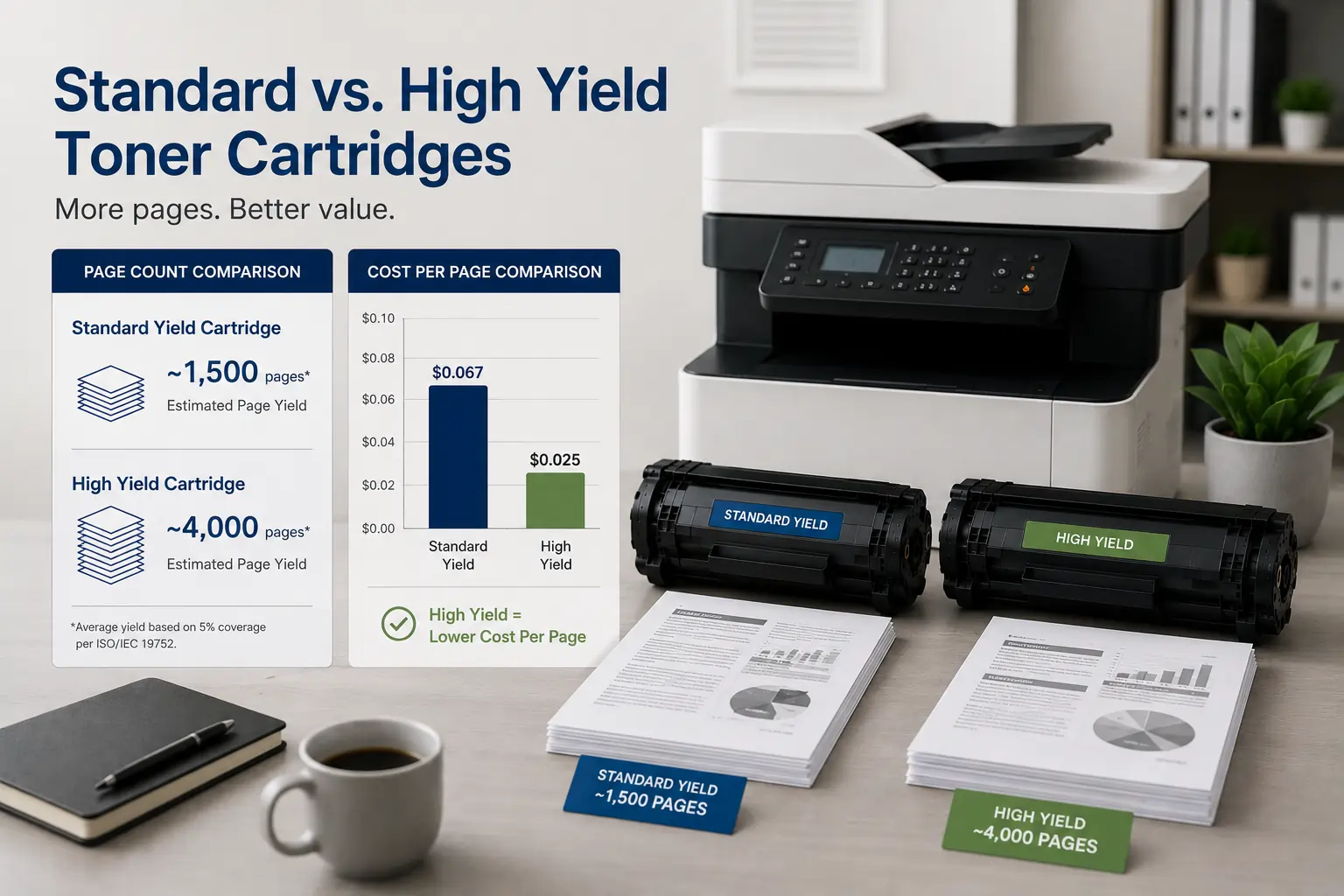
Printing habits also help determine whether standard or high yield cartridges work best.
Standard Yield Cartridges
Best for:
- Occasional printing
- Home users
- Lower volume printing
High Yield Cartridges
Best for:
- High volume offices
- Frequent printing
- Heavy document production
High yield cartridges usually reduce cost per page for businesses with larger printing demands.
Common Misunderstandings About Toner Cartridge Page Count
Some users misunderstand how page yield works.
Yield Numbers Are Estimates
ISO page count ratings are based on standardized testing, not guaranteed exact output.
Printing Habits Matter More Than Expected
Heavy graphics and dark pages consume toner much faster than standard office documents.
Cartridge Quality Affects Performance
Low quality or counterfeit cartridges may not achieve advertised page yields.
Therefore, reliable toner supplies remain important for consistent results.
Modern Printers Help Track Toner Usage
Modern laser printers now include advanced toner management systems such as:
- Toner level monitoring
- Usage analytics
- Cartridge efficiency tracking
- Maintenance alerts
These tools help users manage printing habits more effectively.
According to HP and Canon printer resources, understanding toner usage patterns can help businesses improve print management and reduce operational costs.
Conclusion
Printing habits have a major impact on toner cartridge page count, printing costs, and overall printer efficiency. Factors such as graphics usage, print settings, maintenance practices, and environmental conditions all influence how quickly toner cartridges run out. By understanding these habits and making smarter printing decisions, home users and businesses can extend toner cartridge lifespan, reduce printing expenses, and maintain more reliable print quality over time.