
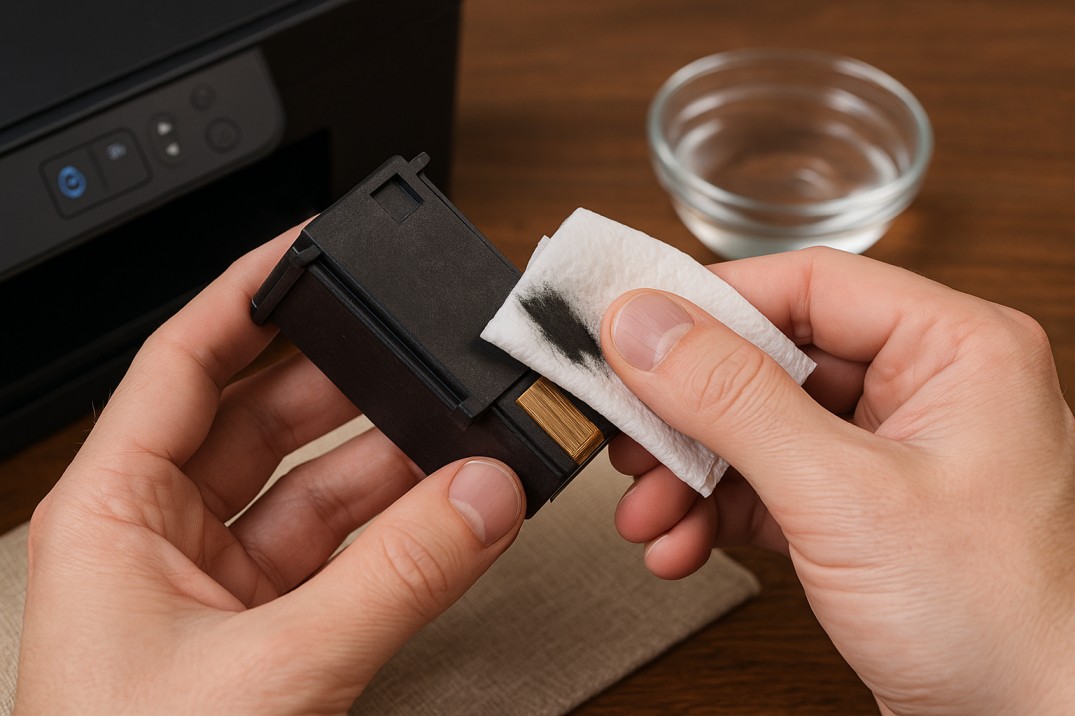
If your printer begins streaking, fading, or producing blank pages, you may be dealing with a clogged printer cartridge. Knowing how to fix a clogged printer cartridge can help restore print quality quickly and prevent unnecessary cartridge replacement. This issue is common among inkjet printer users, and most clogs can be resolved with a few targeted steps.
The good news? A clogged cartridge usually leaves very obvious clues, and once you know what to look for (and how to fix it), you can get your printer running smoothly again.
How to Fix a Clogged Printer Cartridge (Complete Guide)
Step 1: Confirm the Problem With a Nozzle Check
Before attempting to clean anything, verify that a clog is the cause of the problem. Each major printer brand provides built-in diagnostic tools.
-
Epson: Setup → Maintenance → Nozzle Check
Epson provides a clear walkthrough of this process in their nozzle check support guide, which shows how to print a test pattern and identify missing lines or colors.
-
HP printers: Open the HP Smart App → Tools → Print Quality Report.
HP users can run a Print Quality Report through the HP Smart App, and additional troubleshooting steps are available in HP’s print quality documentation
-
Canon printers: Use Maintenance → Print Nozzle Check Pattern.
Canon printers offer a similar diagnostic through the Print Nozzle Check Pattern option, and Canon explains the process in their official maintenance instructions
This test prints a pattern of thin lines for each ink color.
If you see gaps, broken lines, missing colors, or streaking, it’s almost always a clog.
Interpreting the Printout: What the Patterns Indicate
Understanding what you see on the page can help determine how severe the clog may be.
Common Symptoms & Their Likely Causes
| Symptom | Cause | What to Do First |
|---|---|---|
| Horizontal White Lines | Fully blocked nozzles | Run a Nozzle Check, then cleaning |
| Faded or inaccurate colors | Partial clog in one cartridge | Print a quality report and identify the affected color |
| Blank Pages | Severe clog or dried-up printhead | Check ink levels and run a cleaning cycle |
| Blurry or Shadowed Text | Misalignment | Perform printhead alignment |
This preliminary check helps you select the right cleaning method.
Cartridge Clog vs. Printhead Clog
Different printers use different systems, and where the clog occurs influences how you fix it.
1. Cartridges With Built-In Printheads (HP, Canon, Lexmark)
These cartridges include the printhead in the cartridge body.
If cleaning fails, replacing the cartridge often resolves the issue.
2. Printers With Permanent Printheads (Epson, Brother)
These printers store the printhead inside the machine, separate from the ink cartridges. Manual cleaning tends to be more delicate and must be done carefully.
If you are unsure which system your printer uses, refer to your model’s manual or manufacturer support page
How to Fix a Clogged Printer Cartridge
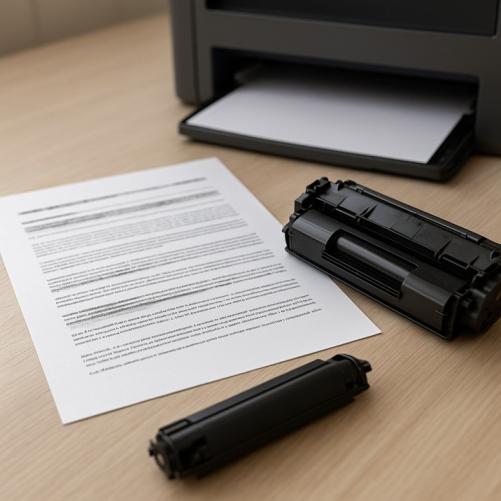
Once you’ve confirmed a clog, start with the gentlest method and work your way up.
Method 1: Run the Printer’s Built-In Cleaning Cycle
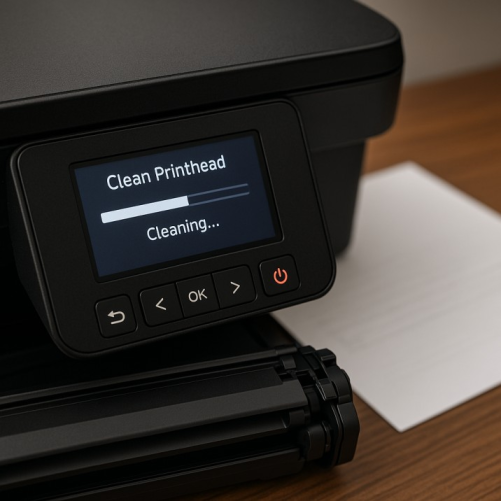
Most inkjet printers offer a “Clean Printhead” or “Head Cleaning” function that pushes ink through blocked nozzles.
How to Perform the Cleaning Cycle
-
Print a Nozzle Check test page.
-
Run Head Cleaning once.
-
Print another Nozzle Check.
-
If it improves, you may run one more cycle, but stop after two.
Running multiple consecutive cleanings can waste ink without improving severe clogs.
If no improvement is seen after two cycles, proceed to manual cleaning.
Method 2: Gentle Blotting (Suitable for Light Clogs)
This method can help when a single color appears faint or inconsistent.
Steps
-
Moisten a lint-free cloth with warm distilled water.
-
Gently press the nozzle plate (the metallic strip) onto the cloth.
-
Hold for 2–3 seconds.
-
Repeat on a clean section of the cloth until all colors appear.
You should see clear, sharp ink blots. If not, move to a deeper cleaning method.
Method 3: The Soaking Method (Effective for Stubborn Clogs)
This method helps dissolve dried ink inside the nozzles.
Steps
- Place ½ inch of warm distilled water in a shallow container.Submerge only
- the nozzle plate, avoid wetting electrical contacts.
- Allow the cartridge to soak for 3–8 hours.
- Pat dry with a lint-free cloth.
- Reinstall the cartridge and run a single cleaning cycle.
Important Notes
-
Never use boiling water, it can warp components.
-
Do NOT scrub the nozzles.
-
Avoid tap water; minerals can create new clogs.
How to Prevent Printer Cartridges From Clogging?
Preventing clogs is far easier than fixing them.
1. Print a Small Page Weekly
Ink dries when it sits. A simple color page once a week keeps nozzles flowing.
2. Choose High-Quality OEM Cartridges
Cheap third-party inks often use formulas that dry faster and clog more easily.
Research by SpencerLab found up to 58% of remanufactured cartridges fail during normal use, often because of poor ink quality.
3. Power Down the Printer Correctly
Always use the power button, not the wall plug.
This parks the printhead in a sealed position to prevent drying.
4. Avoid Extreme Temperatures
Avoid placing your printer in areas with excessive heat, direct sunlight, or very dry conditions, as these can cause ink to evaporate more quickly and lead to clogged nozzles. Environmental factors play a larger role in ink drying than many users realize, and if you’re interested in how this process works, there’s a helpful explanation available here.
When to Stop Trying and Replace the Cartridge
Sometimes a cartridge is too far gone. Replace it when:
-
The nozzle plate has visible scratches or damage
-
You’ve soaked and cleaned it but still see missing colors
-
The printer repeatedly gives a “Cartridge Not Recognized” error
-
You’ve spent more time cleaning than the cartridge is worth
Consider whether your time is more valuable than a $15–$30 cartridge.
FAQs About Clogged Printer Cartridges
1. How often should I run a head cleaning cycle?
Only when print quality noticeably declines.
Running it too often wastes ink.
2. Is it okay to use tap water?
No. Use distilled or deionized water to avoid mineral buildup.
3. Will shaking a cartridge clear a clog?
Not really, and it can cause leaks inside your printer.
4. Can clogged printheads cause permanent damage?
If left untreated for long periods, yes. Ink can harden inside the printhead.
Have Old or Unused OEM Cartridges? Toner Connect Can Help
If a cartridge is beyond saving, or your office has extra unused OEM printer supplies, Toner Connect LLC can buy them.
Visit toner connectfor a fast quote and turn unused inventory into cash.