
The entire toner vs. ink cartridge debate really comes down to one thing: powder vs. liquid. If your office churns out a high volume of text-heavy documents like contracts, invoices, or reports, toner is the undisputed workhorse. On the other hand, if your work demands rich, vibrant colors for marketing materials or photos, ink is your go-to creative partner.
It's a simple distinction, but one that has major implications for your budget, workflow, and final product.
To make the right call for your business, you have to look under the hood. Toner and ink operate on completely different principles, and that's what shapes their performance, cost, and the specific jobs they're built for.
Toner isn't a liquid at all; it's a very fine, dry powder, mostly made of granulated plastic mixed with coloring agents. It’s the fuel for laser printers, which use a sophisticated, heat-based process to get an image on paper.
First, a laser beam etches an electrostatic blueprint of your document onto a rotating drum. This charged image then attracts the toner powder, which clings to it. As the paper rolls past, the image is transferred.
The final, crucial step is the fuser unit. It uses intense heat and pressure to literally melt and bond the toner powder permanently onto the page. That's why documents come out of a laser printer warm to the touch and are instantly smudge-proof.
Practical Example: A busy law firm needs to print a 100-page contract for immediate signing. With a laser printer, each page comes out with crisp, durable text that won’t smear when a paralegal runs a highlighter over a key clause. This instant permanence is exactly where toner shines.
Ink cartridges, as the name suggests, are filled with liquid ink. This ink is typically either dye-based for brilliant colors or pigment-based for better longevity and water resistance.
Inkjet printers operate by firing microscopic droplets of this ink through thousands of tiny nozzles on a printhead, spraying them directly onto the paper. It’s like an incredibly precise, digitally controlled spray-painting process. The printer meticulously layers different color droplets to build up text and images pixel by pixel.
The core difference is this: Toner is melted onto the surface of the paper, while ink soaks into the paper's fibers. This single fact influences everything from print speed and water resistance to the final look and feel of the document.
Practical Example: A marketing agency is printing a new set of glossy brochures. An inkjet's ability to smoothly blend colors is essential to produce the vivid, photorealistic images of a product that will grab a potential customer's attention from a display rack.
Feeling overwhelmed by the details? This quick-reference table cuts straight to the chase, helping you match your daily business needs with the right printing technology.
| Business Need | Toner (Laser) | Ink (Inkjet) | Clear Winner |
|---|---|---|---|
| High-Volume Text Documents | Excellent Speed & Low Cost-Per-Page | Slower & Higher Cost-Per-Page | Toner |
| High-Quality Photo Printing | Limited Color Depth & Gradation | Superior Color Blending & Vibrancy | Ink |
| Archival & Smudge-Proof Text | Fused Powder Resists Smudging | Liquid Ink Can Smear When Wet | Toner |
| Low Initial Hardware Cost | Higher Upfront Printer Cost | Lower Upfront Printer Cost | Ink |
Ultimately, the "winner" isn't about which technology is superior overall, but which one is the perfect fit for the specific tasks you handle every day.
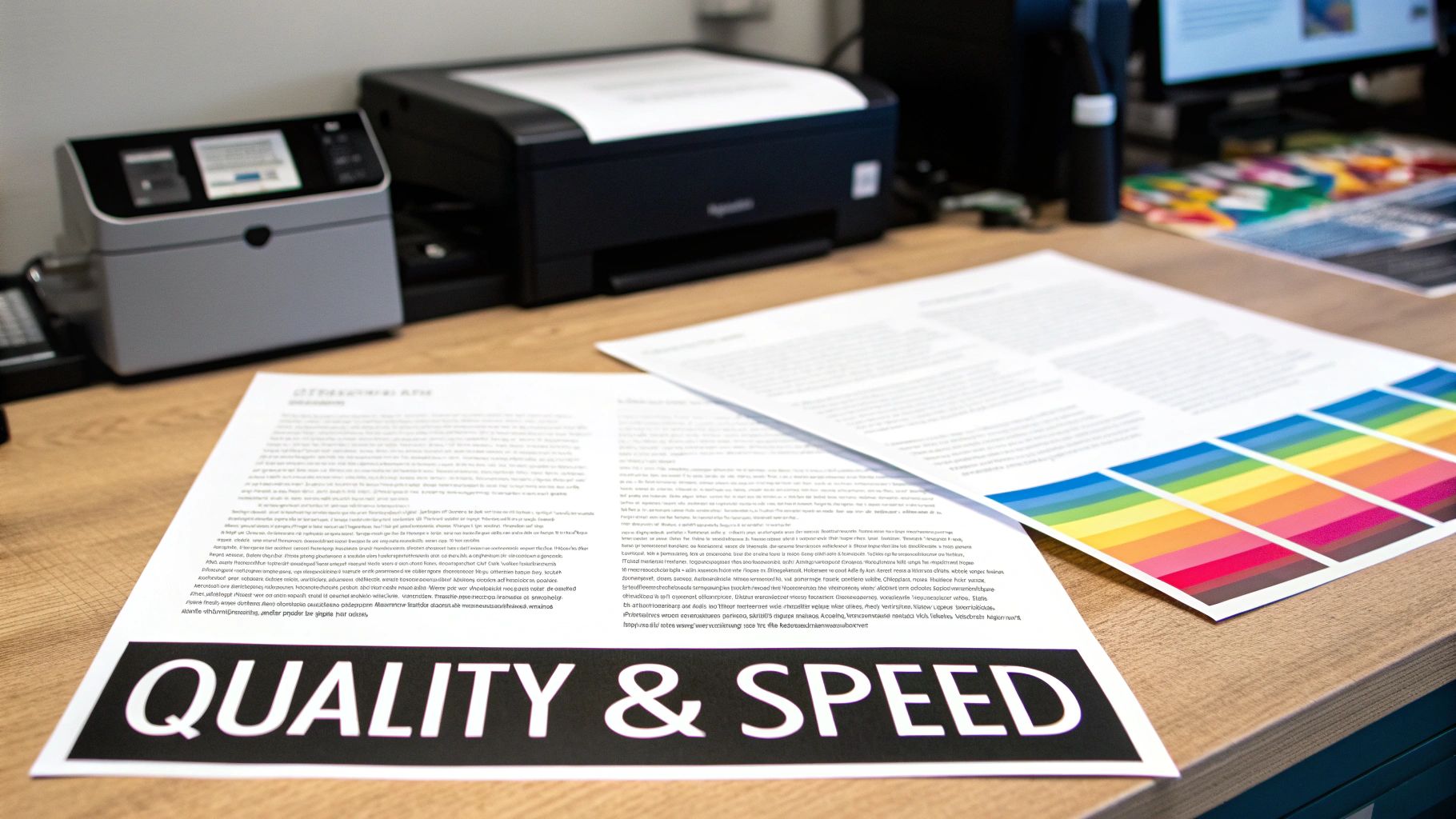
Knowing the technology is one thing, but the real test is how toner and ink actually perform in the day-to-day grind of a business. The final printout—its quality, its clarity, and how fast you can get it—has a direct impact on your workflow, how clients see you, and your overall efficiency. This is where the difference between a dry powder and a liquid ink really comes into focus.
The battle of toner vs. ink cartridge performance isn't about which one is flat-out better. It's about matching the right tool to the right job. Each one shines in specific situations, and picking the wrong one leads to disappointing results and wasted money.
When it comes to printing documents heavy on text, toner is the undisputed champion. Because laser printers fuse dry powder directly onto the paper, they produce exceptionally sharp, crisp letters with perfectly clean edges. That kind of precision is absolutely critical for professional and legal documents where every word has to be crystal clear.
Practical Example (Toner): Think about an accounting firm printing annual financial reports for a client. Toner ensures that every tiny number in a dense spreadsheet is perfectly readable and won't smudge, even if the report is handled by multiple people. The fused text is durable and holds up for years of archiving.
On the flip side, inkjet printers are the masters of complex graphics and high-resolution photos. By spraying microscopic droplets of liquid ink, they can blend colors with incredible smoothness and subtlety. This knack for creating seamless gradients and deep, rich tones is something laser printers just can't quite replicate.
Practical Example (Ink): Now, picture a real estate agency putting together a flyer for a new listing. An inkjet printer can capture the vibrant greens of a landscaped garden and the fine details of the interior photos, creating a marketing piece that grabs a buyer's attention.
For a quick decision, just ask yourself this: Is my main priority precision and permanence for text, or vibrancy and depth for images? Your answer will point you directly to the right technology for your most common print jobs.
For any office where the printer is constantly running, speed is a huge deal. This is an area where laser printers have a major leg up. Once they're warmed up, they can churn out pages at a blistering pace, making them perfect for large reports, batches of invoices, or thick training manuals.
Practical Example: A human resources department needs to print 50 copies of a 40-page employee handbook for new hires starting tomorrow. A laser printer can handle this 2,000-page job quickly and efficiently, while an inkjet would likely struggle to finish in time without multiple cartridge changes.
Inkjet printers are a bit more methodical. The printhead has to move back and forth across the page to lay down the ink, which naturally slows things down, especially for high-quality color prints. While modern inkjets are much faster than they used to be, they generally can't keep up with the raw output of a comparable laser printer.
This speed difference is a key reason the global printing supplies market sees such strong demand for toner. The efficiency of laser printers—with some models hitting 50 pages per minute compared to an inkjet's average of 20—makes them a workhorse. That speed, combined with a lower cost-per-page, makes toner the go-to for high-volume users.
To choose wisely, you need to be honest about your most common printing tasks. A business that only prints a color chart once in a while but cranks out hundreds of black-and-white packing slips every day will find a simple monochrome laser printer to be a far more efficient and cost-effective tool.
Ultimately, matching your printer technology to what you actually print doesn't just improve the quality of your documents—it streamlines your entire workflow. For more practical tips on optimizing your office equipment, you can find other helpful articles on the Toner Connect blog.
When you're running a business, every dollar counts. It's easy to get fixated on a printer's price tag, but the real story of its long-term value lies in the ongoing cost of supplies. This is where the toner vs ink cartridge debate shifts from technology to your bottom line. That initial sticker price can be a real head-fake; the only way to get true financial clarity is by calculating the cost per page (CPP).
This one number tells you exactly what it costs to print every contract, invoice, and report. Getting a handle on your CPP is fundamental for forecasting expenses and understanding the printer's total cost of ownership (TCO)—a figure that includes the hardware, supplies, and maintenance over its entire service life.
The biggest lever affecting cost per page is page yield, which is just the total number of pages a single cartridge can pump out before it runs dry. And here, the difference between toner and ink isn't just noticeable—it's staggering.
A standard ink cartridge might get you a few hundred pages, maybe 200 to 400 if you're lucky. In sharp contrast, even an entry-level toner cartridge starts at a yield of 2,000 to 3,000 pages, and high-capacity models can easily soar past 10,000. This huge gap in output directly translates to how often you're pulling out the company card for new supplies.
Let's put some real-world numbers to this. The math is simple, but it reveals a powerful truth about where your money is going.
Scenario: A head-to-head comparison of a typical ink cartridge and a standard toner cartridge.
Ink Cartridge:
Toner Cartridge:
In this straight comparison, the toner costs four times less for every single page you print. Yes, the initial price is higher, but its massive yield delivers far better long-term value.
A higher upfront cost for a laser printer and its toner cartridges often masks a much lower total cost of ownership. Over the life of the machine, the savings on supplies can easily offset the initial hardware investment, sometimes within the first year of operation.
While CPP is king, a complete financial picture looks at the total cost of ownership. This combines the initial printer price, the ongoing expense of consumables, and any potential maintenance down the road.
Practical Example: A small business buys a $150 inkjet printer. It seems like a deal, but they print 500 pages a month. At 10 cents per page for ink, they spend $50 monthly ($600 per year) on supplies. In contrast, a $400 laser printer with a toner cost of 2.5 cents per page would only cost $12.50 monthly ($150 per year) for toner. The laser printer pays back its higher initial cost in less than a year.
The market data backs this up. While inkjets hold strong due to low initial costs, toner is the fastest-growing segment for office environments. Why? Because high-capacity toner cartridges can yield over 20,000 pages, slashing replacement frequency by up to 80%. With over 70% of small and medium-sized businesses in North America and Europe owning a printer, it's no surprise that commercial users overwhelmingly choose toner for their day-to-day administrative work. You can explore more data on the ink and toner industry to see these market dynamics for yourself.
Ultimately, choosing the right printer means looking past the price tag and focusing on the sustainable, long-term financial impact on your operations.
Downtime isn't just an inconvenience; it's a direct hit to your team's productivity and your bottom line. When you're weighing toner vs. ink, the conversation has to go beyond print quality and cost. You need to consider the day-to-day dependability of the technology. How often will your printer demand your attention, and how long will your supplies last on the shelf?
These questions are mission-critical for any business that can't afford to have its workflow derailed by a temperamental printer. This is where the fundamental difference between a dry powder and a wet liquid creates two completely different ownership experiences.
One of the biggest headaches with inkjet printers is, without a doubt, clogged print heads. Since ink is a liquid, it's prone to drying out, a problem that gets much worse if you don't print regularly.
When an inkjet printer sits idle, even just for a few days, ink can harden in the tiny nozzles that make up the print head. This blockage leads to streaky, faded, or even completely blank pages. The printer's built-in "fix" is to run a cleaning cycle, which tries to flush out the dried gunk by pushing a whole lot of fresh ink through the nozzles.
Practical Example: A small consulting firm that only needs to print client invoices and reports at the end of each week. This kind of sporadic use is the perfect recipe for clogs. Before every print run, they might have to run multiple cleaning cycles, a process that not only wastes precious time but also guzzles a surprising amount of expensive ink.
Toner, on the other hand, is a dry plastic powder. This simple fact makes it completely immune to the drying and clogging issues that plague its liquid counterpart. A laser printer can sit unused for weeks or even months, and when you finally need a document, it will print a perfect page on the very first try.
Practical Example: An event planning business might go a full month without needing to print contracts, then suddenly need to print 200 copies of an agenda. A laser printer can sit idle for that entire month and fire up to print the agendas perfectly, with no cleaning cycles or wasted supplies. This built-in reliability makes toner the clear winner for any office with fluctuating print needs.
The core takeaway on reliability is simple: Toner's dry powder composition eliminates the risk of clogging, making laser printers exceptionally dependable for both frequent and sporadic use. Inkjets require consistent use to keep the liquid ink flowing and prevent frustrating maintenance issues.
Beyond daily performance, the shelf life of your supplies directly impacts how you manage inventory and plan your purchasing. How long can a cartridge sit in the supply closet before it’s a wasted investment?
Ink Cartridges:
Ink has a real expiration date. Most cartridges are marked with a date, typically 18 to 24 months from when they were made. The liquid inside can evaporate or break down over time, even inside a sealed package, which messes with print quality. Once you open it, the clock ticks even faster. This makes buying ink in bulk a risky financial move.
Toner Cartridges:
Toner is a stable powder, giving it a nearly indefinite shelf life. As long as you keep a toner cartridge in its sealed, original packaging and store it in a cool, dry place, it can last for years without any drop in performance. This stability is fantastic for businesses, as it allows you to buy supplies in bulk to get better pricing without worrying about them expiring.
Practical Example: An office manager sees a great deal on toner for their company's laser printers. They can confidently buy a year's worth of supplies, knowing the cartridges stored in the closet will work just as well in month twelve as they did in month one. This isn't possible with ink, where buying in bulk could lead to expired, useless cartridges.
Knowing the technical differences between toner and ink is one thing, but turning that knowledge into the right purchase is another beast entirely. The best printer for you isn't about the underlying technology; it's about how that technology fits—or doesn't fit—with what your business actually does day-to-day.
Let's move past the spec sheets and look at how this plays out in the real world. Every business has its own rhythm and printing priorities, so a one-size-fits-all approach just won't cut it. Pinpointing your primary needs will make the choice surprisingly clear.
Picture a busy law firm, an accounting office, or even a logistics department. Their world revolves around text-heavy documents: contracts, financial reports, invoices, and client files. For these operations, printing boils down to three must-haves: speed, cost-effectiveness, and documents that last.
Here, a monochrome laser printer is the clear winner. It’s built for this exact job. With speeds often hitting 30-40 pages per minute, it keeps the workflow from bogging down. More importantly, the cost-per-page is incredibly low—we're talking just a few cents—which makes printing thousands of pages monthly sustainable. The fused toner also produces crisp, smudge-proof text that’s perfect for permanent records.
Now, think about a real estate agency crafting property flyers or a small marketing firm designing brochures. For them, making a great visual first impression is everything. Their prints need to pop. The priority isn't sheer volume; it's outstanding color quality.
This is where a high-quality inkjet printer shines. Its ability to blend liquid inks creates the rich colors, smooth gradients, and photo-realistic detail that toner just can't replicate. While you’ll pay more per page, the impact of handing a client a stunning, professionally printed visual is worth its weight in gold.
It all boils down to one simple question: Are you printing for internal efficiency or external impact? Your answer immediately tells you whether toner’s speed and economy or ink’s vibrant quality should be your priority.
Many modern small businesses have printing needs that are all over the map. One day it’s a 100-page internal training manual; the next it’s a batch of color handouts for a sales pitch. This kind of hybrid environment requires a flexible, do-it-all machine.
An enterprise-level multifunction laser printer often hits the sweet spot here. It gives you the speed and low-cost text printing for everyday tasks, but it also has solid color capabilities for when you need them. No, the color quality won't compete with a dedicated photo inkjet printer, but it's more than good enough for business graphics, charts, and presentations.
This chart can help you decide which technology is more reliable based on your printing frequency.
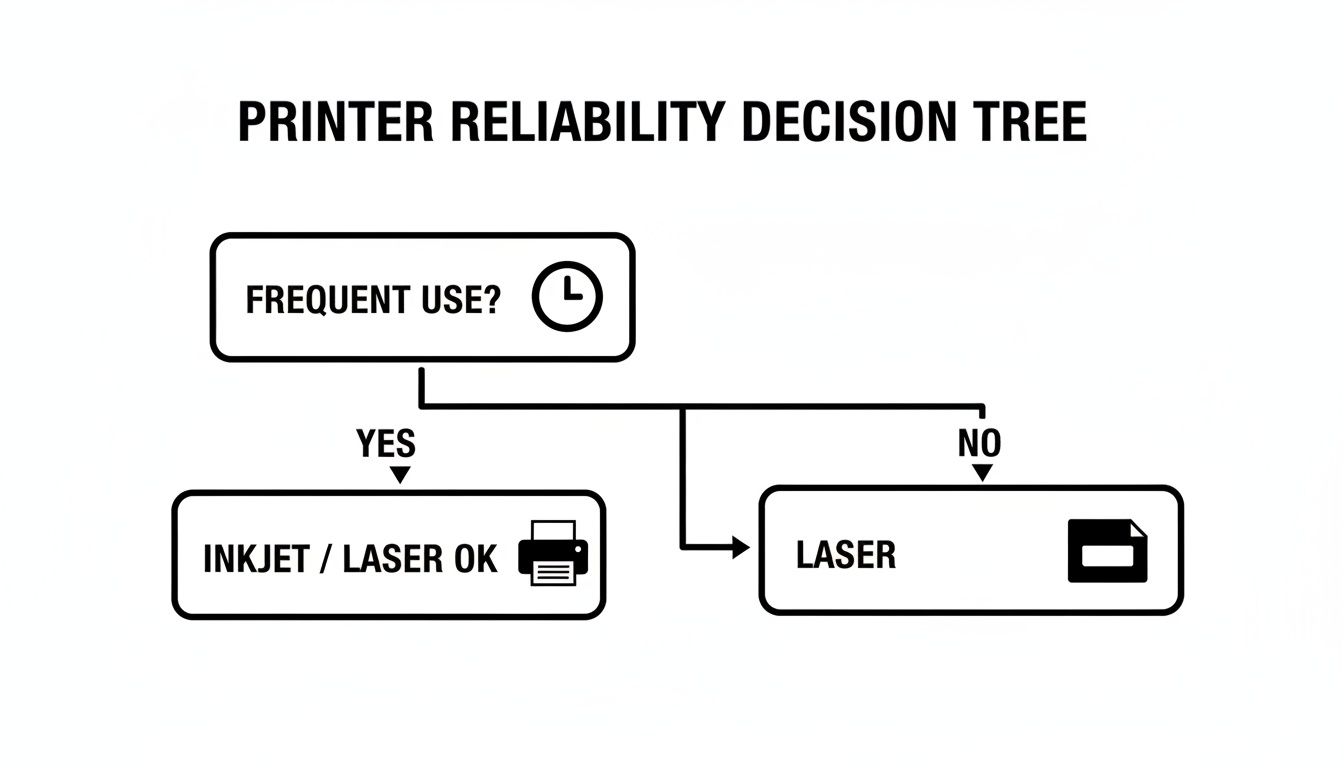
The key takeaway is that toner, being a dry powder, makes laser printers incredibly reliable. They just work, whether you use them every single day or just once a month.
It happens all the time. Your company upgrades its printers, moves to a new office, or someone just plain orders the wrong model. Suddenly, you're left staring at a closet full of expensive, unused toner and ink cartridges. That's not just clutter; it's cash tied up on a shelf.
Instead of letting those supplies gather dust until they're worthless, you can turn them back into working capital. Liquidating surplus inventory is a smart financial move that clears out valuable storage space and converts a depreciating asset into immediate revenue. The trick is to act fast, especially before the ink cartridges expire and lose their value completely.
Before you can get a fair price for your extra toner or ink, a little prep work goes a long way. Any potential buyer, whether it's a reseller or another business, needs to know the products are the real deal and will work flawlessly.
You need to make sure your supplies check three main boxes:
Taking a few minutes to sort your inventory and check the boxes makes all the difference. A simple, organized list—even better if you have clear photos of the sealed boxes—can speed up the entire sales process and help you get the best offer.
Once you have your inventory organized, it's time to find a buyer. You could try selling on online marketplaces, and you might find some good information in a guide on becoming an Amazon reseller. But for a busy office manager, this route often means dealing with individual buyers, packing and shipping one-off orders, and handling potential returns. It’s a lot of hassle.
A much more direct and efficient approach is to work with a company that specializes in buying back surplus inventory. These services are built to purchase supplies in bulk, which makes the whole process simple and predictable for businesses like yours.
For office managers who need a hassle-free way to turn those extra supplies into cash, Toner Connect has the process down to a science. It's designed for convenience and speed, cutting out all the typical headaches of private sales. This is a lifeline if you have OEM ink from Epson or Canon that's nearing its expiration date, or if you're just sitting on a mountain of extra toner. The system is simple: you get a quote within two hours, ship your items for free with prepaid labels, and get paid the same day they're inspected. It’s a clean way to recover costs, free up storage, and reduce waste.
Here’s how easy it is:
This process transforms a storage problem into a smart financial win. By working with a trusted buyback service, you can efficiently monetize those unused toner and ink cartridges and put that money back to work where it belongs.
If you have surplus supplies ready to go, you can get a quick quote by submitting your list here.
As you dig into the toner vs. ink cartridge decision, a few questions always seem to pop up. Getting straight answers here can save you from costly mistakes and help you manage your office supplies a whole lot better.
It’s tempting to grab those cheaper third-party or remanufactured cartridges, but for a business, it's a risky move. You often get what you pay for: inconsistent print quality, page yields that don't match the box, and a much higher chance of the cartridge just failing. Even worse, a malfunctioning non-OEM cartridge can damage your printer, and you’ll likely find out it voided your warranty right when you need it most.
Practical Example: A marketing assistant buys a remanufactured ink cartridge to save a few dollars. It leaks inside the printer, causing smudges on a critical client presentation and requiring a costly service call to fix the machine—completely wiping out any initial savings. Sticking with OEM cartridges avoids this risk.
Both have an impact, but toner generally comes out ahead, and the reason is simple: page yield. One high-capacity toner cartridge can print thousands and thousands of pages. That means you're swapping it out far less often than a typical ink cartridge.
Fewer replacements translate directly into less plastic waste and a smaller carbon footprint from manufacturing and shipping. Plus, most major brands have really solid recycling programs for used toner cartridges, making it easier to dispose of them responsibly.
The real environmental difference comes down to how often you replace them. Since toner cartridges last so much longer, they create significantly less physical waste over the printer's life compared to the constant churn of ink cartridges.
Think of an ink tank printer as a specialized inkjet that ditched small, disposable cartridges for large, built-in reservoirs you can refill yourself. When you run low, you just top them off with bottles of ink.
The big win here is a dramatically lower cost-per-page, especially for color. This makes them a fantastic middle-ground solution for offices that print a lot of color documents but find standard ink cartridges too costly and don't quite need the raw speed of a laser printer. For more answers to common questions, our comprehensive FAQ page is a great resource.
This is a key difference. Liquid ink can dry out or degrade over time, but toner is just a very stable, dry powder. As long as the cartridge stays in its sealed, original packaging and you keep it in a cool, dry place, it doesn't really have an expiration date. It can sit on a shelf for years and still work perfectly. This makes toner ideal for buying in bulk and stocking up without worrying about your inventory going bad.
Do you have a surplus of genuine, unused toner or ink cartridges taking up space? At Toner Connect LLC, we turn that excess inventory into cash with a simple, risk-free process. Get a fast quote, ship your items for free, and receive prompt payment. Visit https://tonerconnect.net to see how easy it is to recover value from your unused supplies.
