
Ever wondered what the "XL" on an ink cartridge box actually means? It’s not about the physical size—an XL cartridge is the exact same size as a standard one. It simply stands for ‘Extra Large’ capacity.
Think of it like buying a family-size box of cereal instead of the regular one. You get more product inside the same pantry space. The same principle applies here: an XL ink cartridge is packed with more ink, designed for people who print more often.
An XL cartridge, often called a "high-yield" cartridge, is filled with a higher volume of ink than its standard counterpart. This means it can print significantly more pages before you have to swap it out.
For anyone who relies on their printer regularly—from a small business printing invoices to a family printing homework and photos—this is a huge deal. It means fewer interruptions and less time spent fiddling with replacements. For example, if you print 50 pages a week, a standard cartridge might run out in a month, while an XL version could last you two or three.
While the sticker price for an XL cartridge is higher, the real story is in the long-term value. Because it prints so many more pages, your cost for each printed page drops dramatically. Industry leaders like HP and Epson design their XL options to hold anywhere from 50% to 100% more ink than the standard versions, all while fitting perfectly into the same slot in your printer. You can often find specifics, like HP's high-yield ink details, on retailer Q&A pages.
To break it down, here’s a quick comparison of what you're getting with each type.
| Feature | Standard Cartridge | XL Cartridge |
|---|---|---|
| Ink Capacity | Lower | Significantly Higher |
| Page Yield | Fewer Pages | More Pages (often double or more) |
| Upfront Cost | Lower | Higher |
| Best For | Infrequent, low-volume printing | Frequent, high-volume printing |
Ultimately, the choice comes down to how much you print. If your printer only sees action once in a blue moon for a concert ticket or a recipe, a standard cartridge is probably fine. But if you print regularly for work, school, or a hobby, the XL is almost always the smarter, more economical choice.
So, we know XL means more ink. But how does that actually play out when you hit "print"? It all comes down to a crucial metric called page yield.
Think of page yield as the MPG of the printing world. It’s an industry-standard estimate of how many pages a cartridge can print, calculated using strict ISO/IEC guidelines. This isn't some marketing gimmick; it’s a standardized rating that lets you make a true apples-to-apples comparison between cartridges. It’s how you know for sure what you’re getting for your money.
The difference can be pretty staggering. Take a standard HP 67 black ink cartridge, for example. It’s rated for about 120 pages. The HP 67XL version? It more than doubles that, giving you around 240 pages. You’re getting twice the printing power from a cartridge that looks and feels exactly the same.
This pattern holds true across most brands. High-yield cartridges are designed to hold at least 50% more ink, but that often translates into an even bigger jump in page output. A standard Epson 822 black cartridge will get you roughly 350 pages. But the 822XL model pushes that all the way to 1,100 pages—that's a massive 214% increase. For anyone keeping an eye on their budget, it’s clear how these high-yield cartridges provide better value in the long run.
This isn't a trick; it's just smart engineering. Manufacturers use the same plastic shell for both standard and XL cartridges so they fit the same printers. The real magic is on the inside.
So, how do they cram more ink into an identical shell? It’s all about what you don't see.
This approach is a win-win. Manufacturers can offer a more economical option for those who print a lot, which means you spend less time swapping out cartridges and more time getting things done.
It’s easy to look at the price tag on an XL ink cartridge and think it’s the more expensive option. But the sticker price doesn't tell the whole story. To understand the true value, you need to look at the cost-per-page (CPP).
This is the key metric that savvy shoppers use to figure out their actual printing expenses over time. The math is simple: just divide the cartridge's price by its page yield.
Let's walk through a common scenario. You're at the store, looking at two black ink cartridges for your printer.
The $20 option looks like the better deal, right? Not so fast. Let’s do the cost-per-page calculation.
Standard Cartridge: $20 ÷ 200 pages = $0.10 per page
XL Cartridge: $35 ÷ 600 pages = $0.058 per page
Suddenly, the picture is much clearer. By going with the XL option, you've just slashed your printing costs by over 40%. It’s a classic case of spending a little more upfront to save a whole lot more down the road.
This chart really drives home how much more you get out of an XL cartridge.
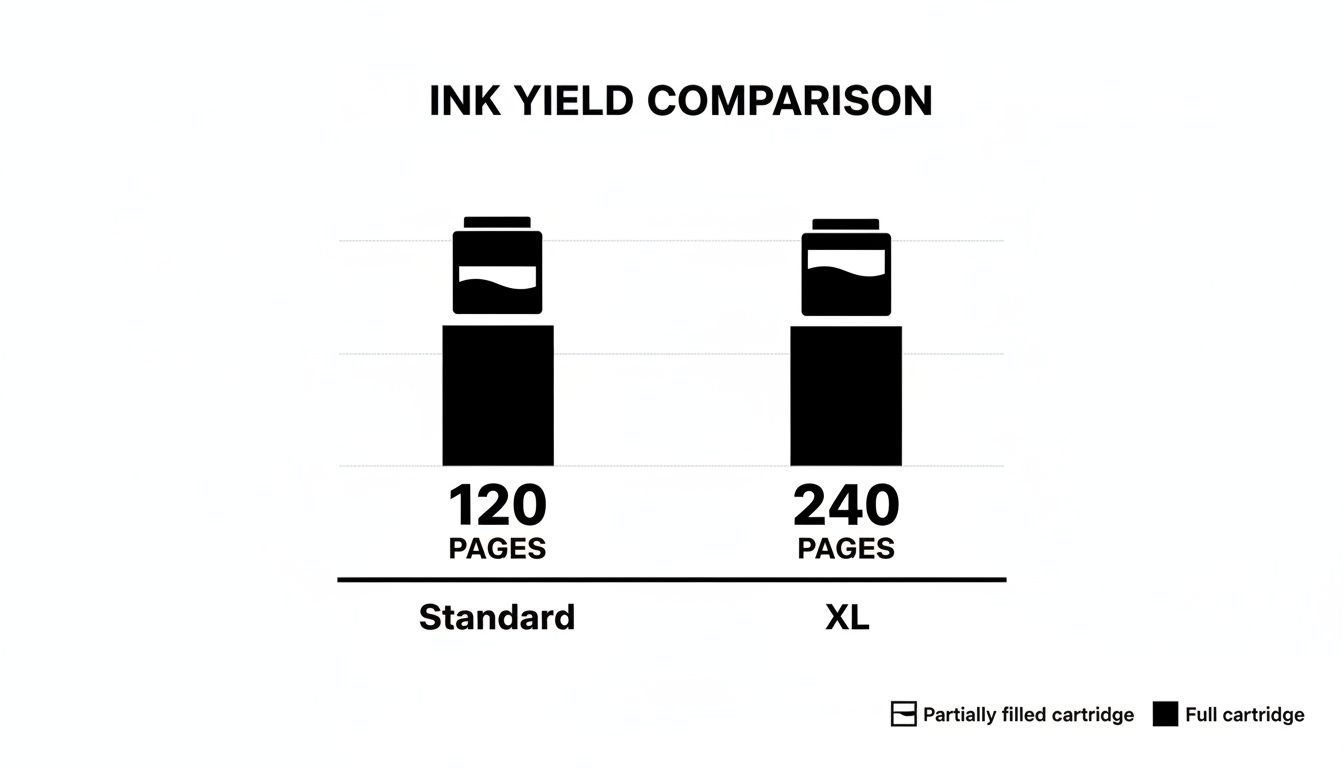
As you can see, you’re often getting at least double the output, which makes every drop of ink work harder for you.
When HP first introduced the "XL" label around 2002, this was exactly the idea. They packed 50-100% more ink into these high-yield cartridges, which can sometimes triple the page output compared to a standard one.
The savings can be pretty dramatic. Some studies have shown the per-page cost for black ink dropping from $0.05 to just $0.02—that’s a 60% reduction. You can dig deeper into these cost-saving benefits on HP's tech blog.
If you're running a business that prints hundreds or thousands of pages every month, those pennies start to add up fast. A small office printing 2,000 pages a month could save over $500 a year just by switching from standard to XL cartridges. Choosing XL cartridges is a simple, strategic move that can make a real difference to your bottom line.
It’s one of the first questions everyone asks: "Will this bigger XL cartridge actually fit in my printer?"
Thankfully, the answer is almost always yes. If your printer takes the standard version of a cartridge, it will take the XL version, too.
Printer manufacturers are smart about this. They design the outer shells of both standard and XL cartridges to be physically identical. They have the same shape, the same size, and the same plastic clips and electronic contacts. This makes them completely interchangeable. So, you can swap between a standard and an XL cartridge without a second thought.
For example, a printer that uses a standard HP 952 black ink cartridge is also designed to work perfectly with the high-yield HP 952XL. No special printer, no adapter needed. It just works.
Even though it's usually a sure thing, it never hurts to double-check before spending your money. A quick verification can save you from a purchasing headache down the road.
Here are three simple ways to confirm compatibility:
You might see a message on your printer screen that says something like, "High-yield cartridge installed." Don't worry! This isn't an error. It's just your printer's way of letting you know it recognizes the XL cartridge and its higher ink level.
For businesses or dealers who manage a fleet of different printers, keeping all these model numbers straight is a big job. If you need help staying organized, you can find more resources and information in our dealer program details.
Ever found yourself with a stash of brand-new, unopened XL ink cartridges after a printer upgrade or office move? Don't let them just sit on a shelf collecting dust. Because they pack in more ink and deliver better value, those surplus cartridges are valuable assets you can easily turn into cash.
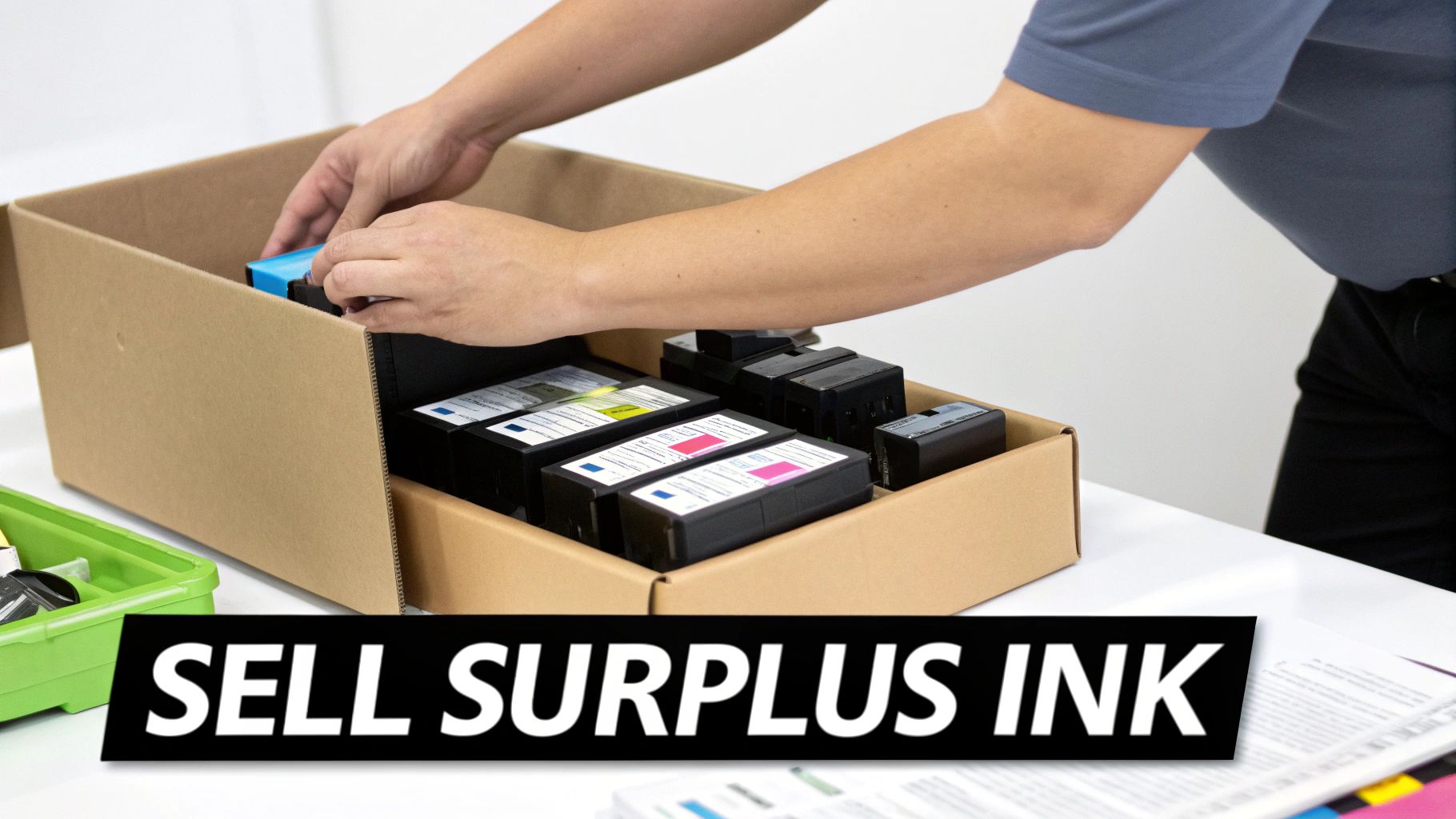
It's a common scenario for businesses—you switch models, downsize, or just miscalculate an order, and suddenly you have supplies you can't use. For example, a marketing firm might switch to a new printer line and be left with a dozen unused HP 952XL cartridges. Instead of watching them expire and become worthless, selling them is a smart, profitable move. You get back some of your initial investment and clear out that much-needed storage space at the same time.
The market for genuine, high-yield cartridges is always humming. Since everyone now knows what does xl mean on ink cartridges—more pages and a lower cost-per-page—there's constant demand from other businesses and individuals looking for a good deal. This built-in demand makes your surplus inventory a hot commodity.
Of course, knowing what to sell is only half the battle. Figuring out how to price items for resale is key to getting the most back for your unused cartridges. Plus, selling them keeps perfectly good supplies from ending up in a landfill, which is a great bonus for your company’s sustainability goals.
By reselling your unused OEM cartridges, you turn a sunk cost into found money. It’s an easy win for your budget and helps reduce waste by keeping usable products in circulation.
Here at Toner Connect, we've made the entire process incredibly simple. We specialize in buying surplus OEM cartridges, giving you a fast, dependable way to get cash for your overstock.
We designed our system to be quick and completely hassle-free. No hoops to jump through, no complicated steps. Just a clear path to getting paid.
Here’s how it works:
To wrap things up, let's tackle some of the most common questions people have when they're thinking about moving up to high-yield cartridges. These quick, clear answers should help you feel confident about which printing supplies are right for you.
Believe it or not, yes. For businesses and home offices that do a ton of printing, some brands offer an even bigger option. The naming can get a little confusing, though, as it changes from brand to brand.
For instance, you might spot an "X" on certain HP cartridges (like the HP 952X) or "XXL" on some from Canon (like the PGI-280XXL). These monsters offer the absolute best cost-per-page, but they're typically reserved for specific business-class printer models. The golden rule is to always check your printer's manual before buying to make sure it can handle these ultra-high-yield versions.
Nope. An XL ink cartridge has the exact same shelf life as its standard-sized sibling. You can typically expect them to last 18-24 months from the day they were made, and you'll always find that expiration date printed right on the box.
Sure, an XL cartridge might sit in your printer longer just because it has more ink, but the ink itself won't go bad any faster. This long shelf life is a huge plus if you ever find yourself with a surplus to sell.
The extra ink in an XL cartridge doesn't change its expiration date. Both standard and XL versions are factory-sealed to keep the ink fresh for the same amount of time before you install them.
Absolutely not—as long as you’re using a genuine OEM (Original Equipment Manufacturer) XL cartridge made for your exact printer. Manufacturers design their printers to work perfectly with both the standard and high-yield versions of their own cartridges.
Your warranty is completely safe when you stick with the correct OEM supplies. For example, using a genuine HP 67XL in an HP DeskJet printer is fully supported and will not affect your warranty. The only time you might run into warranty trouble is if you use a third-party, refilled, or incompatible cartridge that ends up damaging your printer. For more on this, feel free to check out our detailed FAQ page covering OEM supplies.
They definitely are. When you choose an XL cartridge, you're making a more eco-friendly choice. Think about it: a single XL cartridge can do the job of two or more standard ones, which means you're using far less plastic and packaging over time.
For example, buying one Canon PG-245XL cartridge (300-page yield) instead of two standard PG-245 cartridges (180-page yield each) means you use one plastic shell instead of two and create less cardboard waste. This simple switch cuts down on the resources needed for manufacturing and shipping, leading to a smaller carbon footprint and less waste ending up in a landfill. For any company with sustainability goals, moving to high-yield cartridges is an easy win.
Ready to turn your surplus ink and toner into cash? At Toner Connect LLC, we make it easy to get top dollar for your unused, genuine OEM printer supplies. Request your free quote today!
